All work 03 / 04 · Music distribution · Mobile app

LabelCaster

From upload to payout.

A music distribution app where labels submit releases, agree on contracts and splits with their artists, and get paid. LabelCaster delivers each release to streaming services such as Spotify and Apple Music. This redesign and rebrand of the existing app makes the business side of music understandable to people who aren’t experts.

Role
Product designer · wireframes, visual design and survey research
Platforms
iOS · Android
Status
Shipped; now in testing with selected users
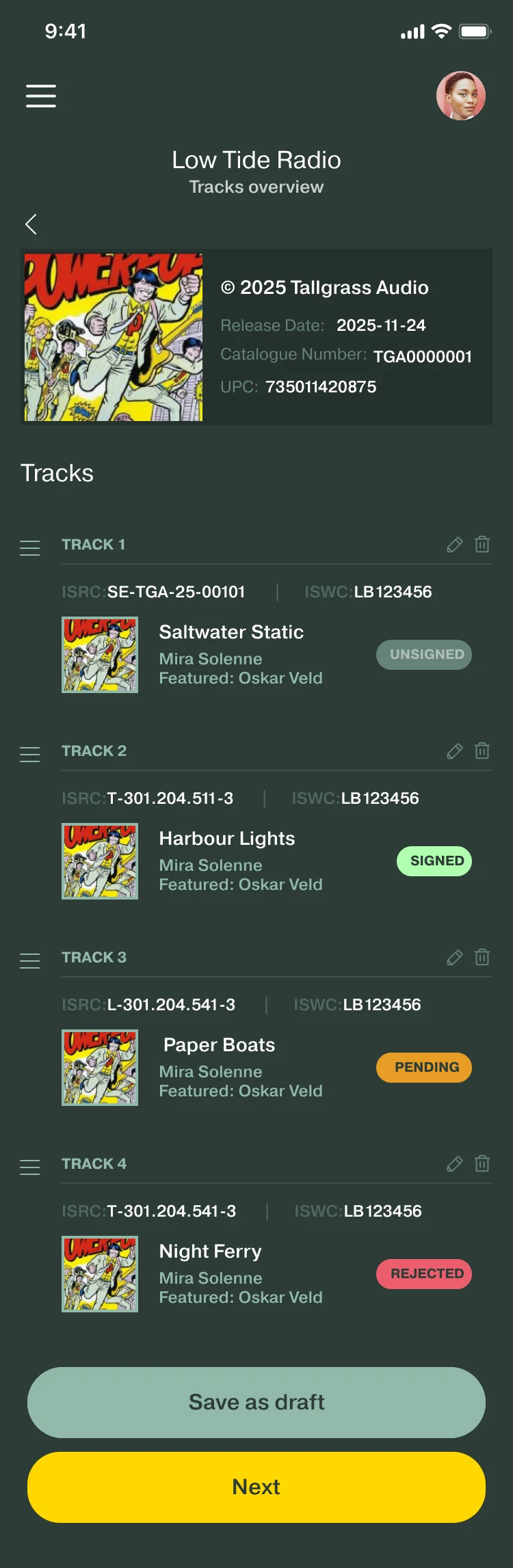
Album overview for Low Tide Radio: the album, then four tracks, each with its ISRC and ISWC codes, its artists and a contract status: Unsigned, Signed, Pending, Rejected. Save as draft and Next buttons.
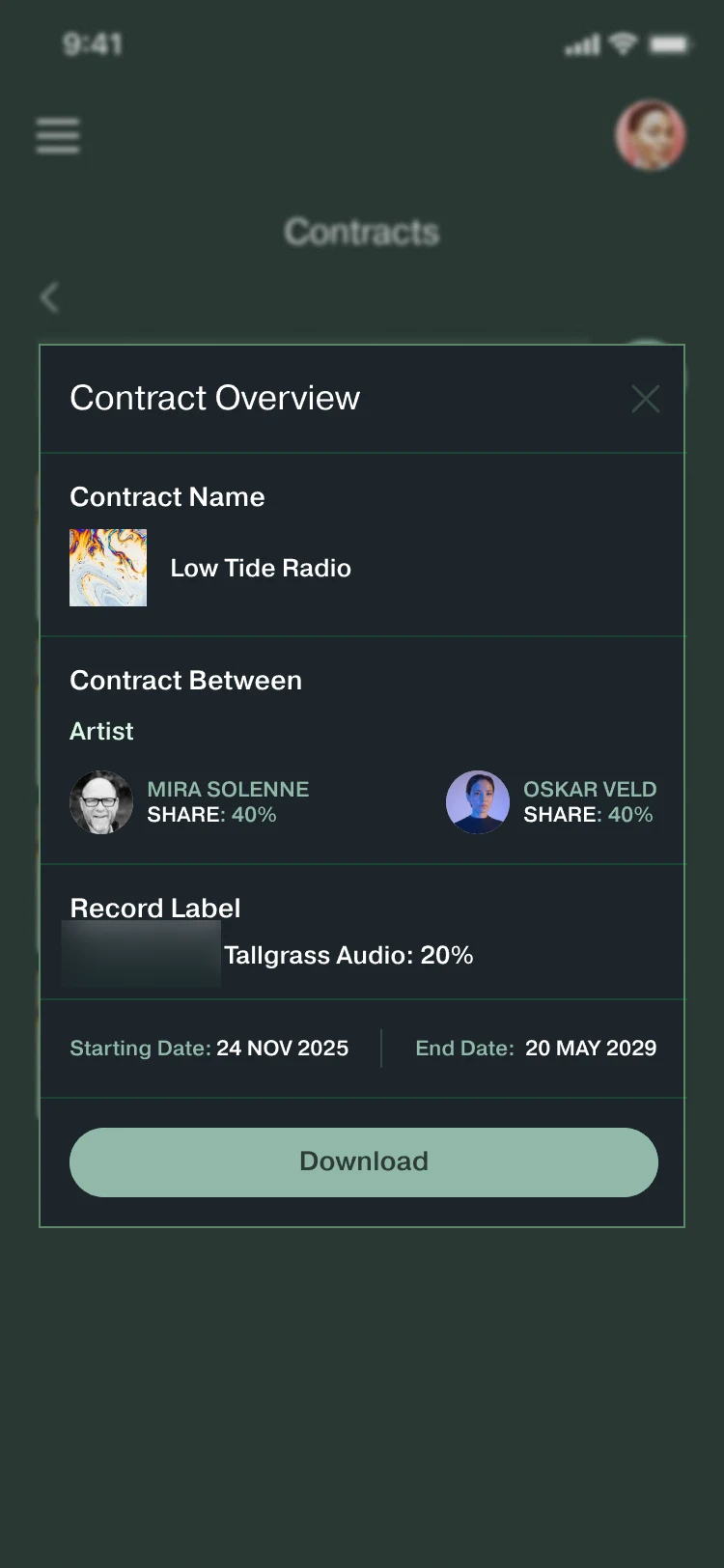
Contract Overview for Low Tide Radio: Mira Solenne and Oskar Veld with a 40% share each, Tallgrass Audio with 20%, start and end dates, and a Download button. The logo is blurred.
  1. My roleProduct designer: wireframes, visual design and survey research.
  2. ProblemSigning happened outside the app, people got lost, and uploads repeated work.
  3. ApproachSigning in the app, tracks named during upload, a way back from every screen, one system for both sides.
  4. OutcomeShipped to both stores; now in testing with selected users.
Jump to decisions

01 · Problem

Artists and labels use the same app, from opposite sides of a contract.

Labels submit releases to LabelCaster, which delivers them to streaming services.

The artist side uses the same screens in a light theme. Except where marked, the rest of this page shows the label side.

Signing a contract meant leaving the app.

The clearest of four problems in the old app. Three of them broke the path through a release; the fourth was that both sides saw one interface.

  1. Signing happened outside the appContracts were signed in an external tool, and the signed contract had to be kept in external storage.
  2. Navigation dead endsPeople got stuck on a screen with no way back.
  3. A complicated multi-track uploadEach song needed its own details, such as its name and ISRC code.
  4. One look for both sidesLabels and artists saw the same interface.
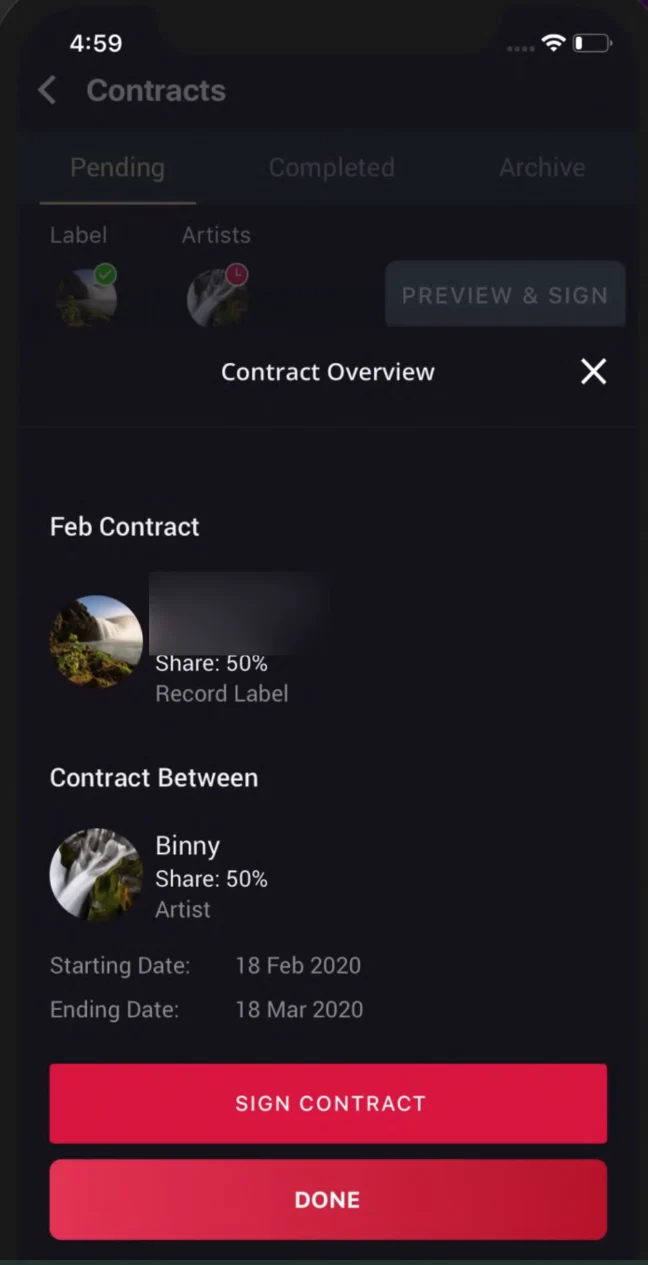
Old app Contract Overview: the two parties with a 50% share each, start and end dates, and Sign Contract and Done buttons. The label name is blurred.
Contract OverviewThe signing step itself ran in the external tool.
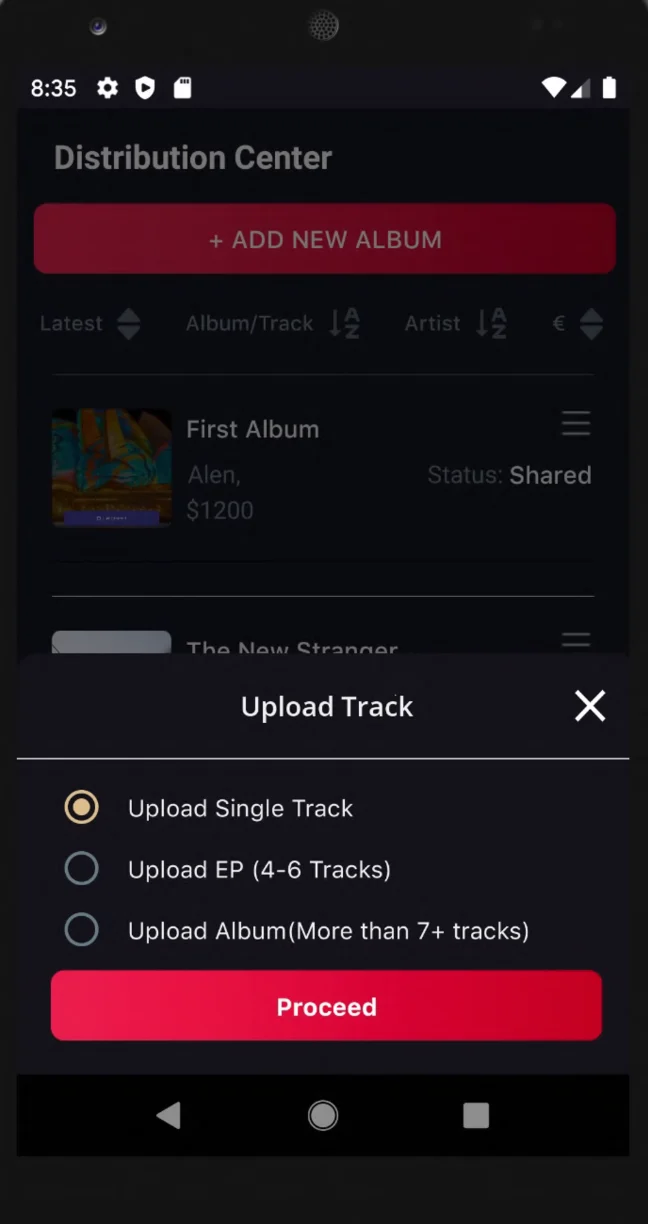
Old app Upload Track sheet: Upload Single Track, Upload EP (4-6 Tracks), Upload Album (More than 7+ tracks), and a Proceed button.
Upload TrackA single track, an EP or an album.
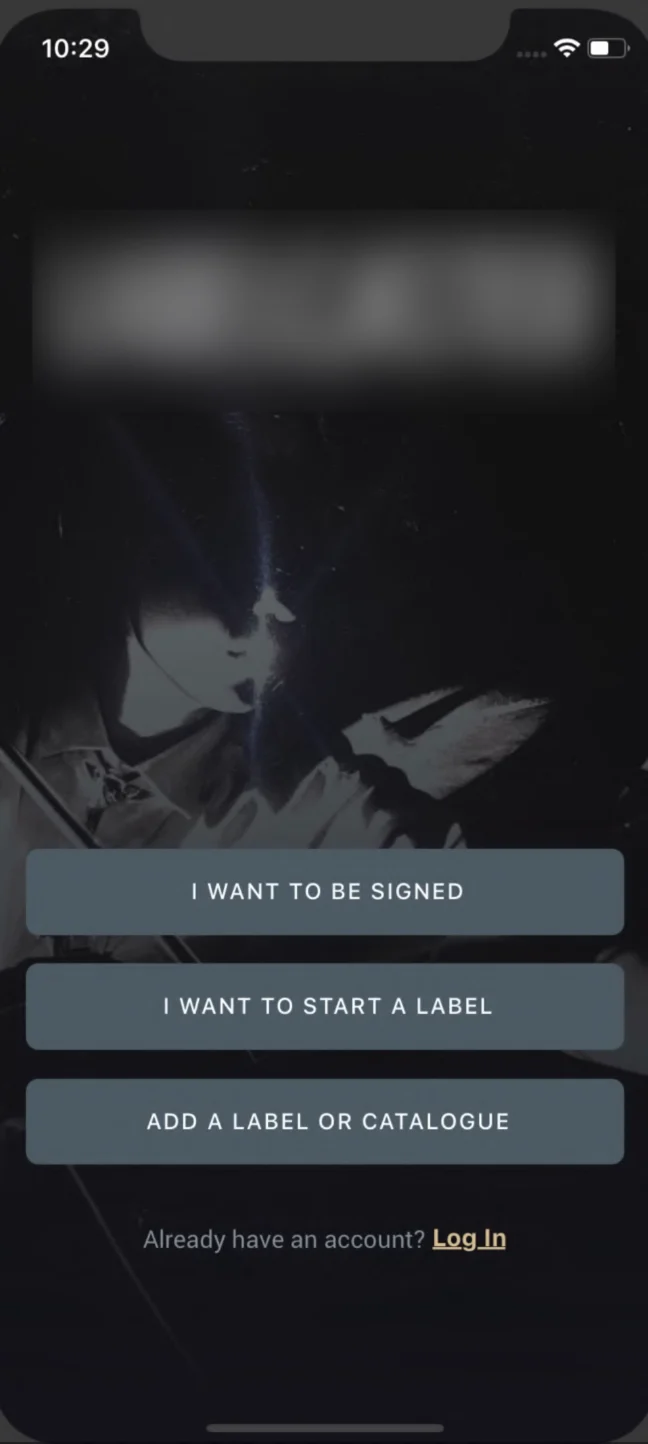
Old app welcome screen with three buttons: I want to be signed, I want to start a label, Add a label or catalogue. The logo is blurred.
WelcomeOne way in for both sides.

The old app. The logo and one label name are blurred.

02 · Evidence

98 people rated the app. Nobody gave it a five.

I co-wrote a 7-question Google Forms survey with the product manager and the product owner. I used it to find what to fix first.

How would you rate the user-friendliness of LabelCaster interface?98 responses · 1 is the lowest, 5 the highest
  1. 10 (10%)
  2. 25 (26%)
  3. 44 (45%)
  4. 19 (19%)
  5. 0 (0%)

The average is about 2.7 out of 5, worked out from these counts. Redrawn from the Google Forms results.

150
users it was sent to: labels and artists who had used the app for more than 4 months
98
of them responded
0
rated the app’s user-friendliness 5 out of 5
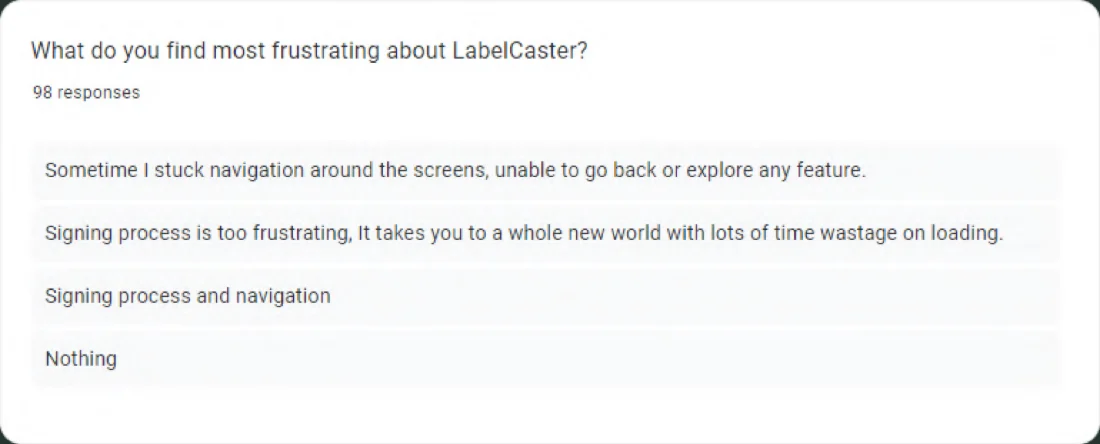
Google Forms results for “What do you find most frustrating about LabelCaster?”, 98 responses, including the responses about signing and navigation quoted below.
One of the seven questions, as the answers appeared in Google Forms. Responses are quoted exactly as written.

What the answers pointed to

  1. Pattern 01Signing felt like a different product.
    Signing process is too frustrating, It takes you to a whole new world with lots of time wastage on loading.
    Decision 01: bring signing into the app
  2. Pattern 02People lost their way between tasks.
    Sometime I stuck navigation around the screens, unable to go back or explore any feature.
    Decision 05: a way back from every screen
  3. Pattern 03Upload repeated the same work for every track.

    Each song needed its own details: name, ISRC code and more. Artwork came up too:

    Uploading custom Artwork, demo song upload without artwork
    Decision 02: name tracks during upload
  4. Pattern 04Two roles, one look.
    Diffrent apps for label and artist
    Yes I have, please change color to some more exciting colors. Its too boring right now.
    07: a new look and a design system

Survey responses, quoted exactly as written.

03 · My contribution

From wireframe to shipped screen, and the system behind it.

  • The workflow and its screensWireframes and final screens for the five steps of a release. Signing is shown wireframe next to final.
  • The visual languageThe rebrand’s typography and icons, and the Figma design system: color styles, text styles and components.
  • The surveySeven questions, co-written with the product manager and the product owner.

The product owner provided the colors, the list of release types and the artist side’s light theme. Typography and icons were agreed with the product owner and the product manager. The team replaced the external signing tool with signing inside the app.

Team: a product manager, four developers and the client’s product owner.

04 · The workflow

Five steps, from a sound file to a payout.

The redesign is organized around the work a release has to move through: adding music, agreeing terms, signing, completing publishing information, and tracking earnings.

  1. AAdd music

    Pick the release type, upload the files, name each track.

  2. BContracts & splits

    Choose a contract type, set every share, add costs if needed.

  3. CSign

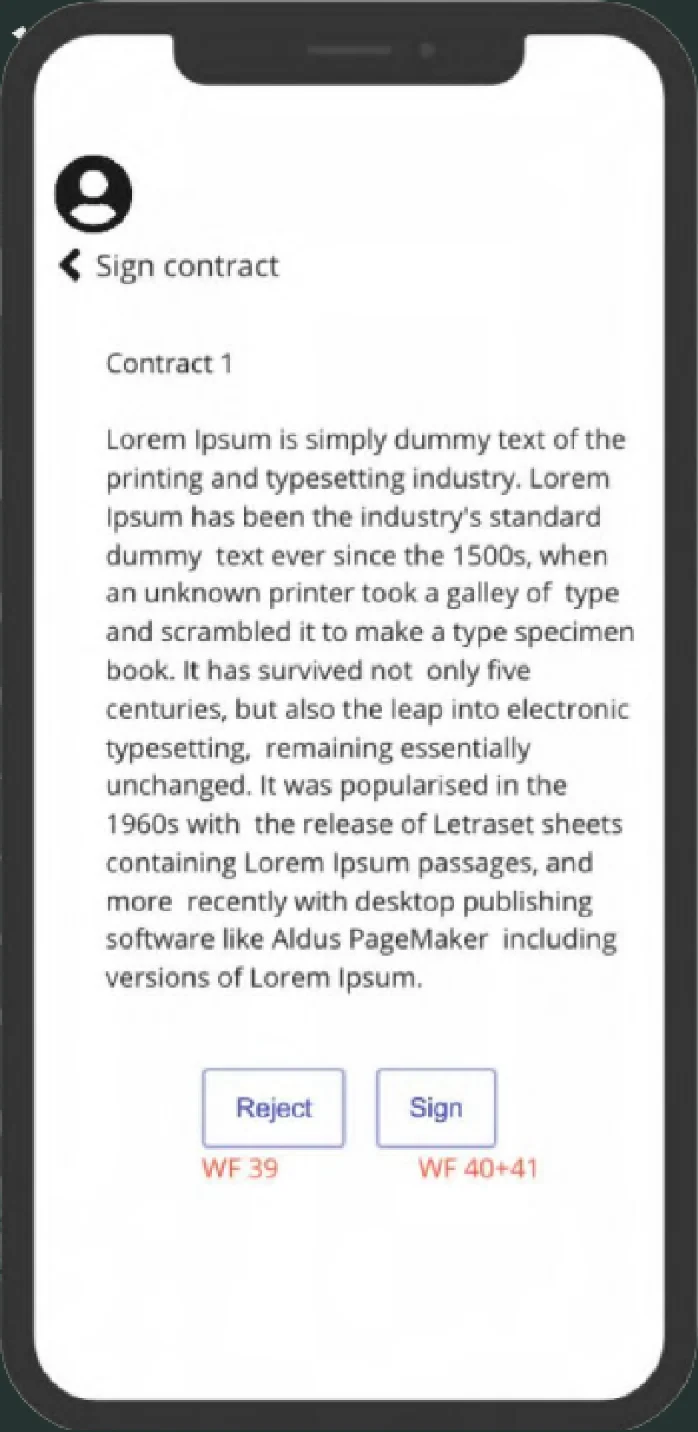
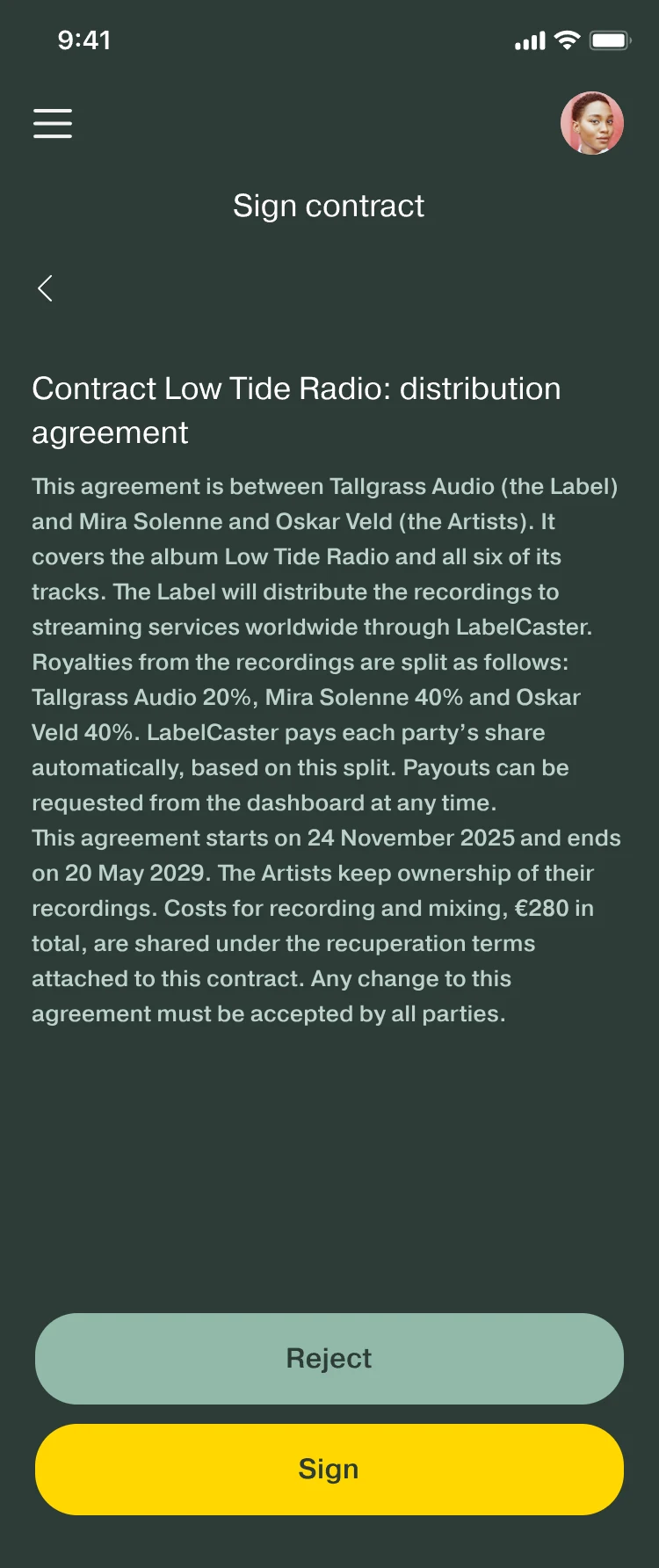
    Read, then sign or reject, inside the app.

  4. DPublishing info

    Complete the composition details and publishing splits required for the release.

  5. EEarn & cash out

    Follow earnings, then request a payout.

05 · Key decisions

Five decisions carry the redesign.

01 · Step C

Bring signing into the app.

Problem
Contracts were signed in an external tool and stored outside the app.
Decision
Read, sign or reject, draw the signature and see it confirmed, without leaving the app.
Why
Signing came up as a frustration in the survey (Pattern 01): people had to leave the app, wait for another tool to load, then download the contract separately.
Trade-off
The team had to build and maintain an in-app signing flow on a signing API, instead of using a ready-made signing tool.
See it in the screens

02 · Step A

Name tracks during upload.

Problem
Uploading an EP or album meant filling in every detail for each song, one at a time.
Decision
Choose the release type first, upload several sound files at once, and name each one in place.
Why
Naming tracks during upload removes a separate upload step for each file.
Trade-off
Bulk upload and naming every title at once shipped; the rest of each track’s details, such as its ISRC code, are still entered one track at a time.
See it in the screens

03 · Step B

Set the shares where the agreement is made.

Problem
Splits and cost-sharing are financial agreements that are easy to get wrong.
Decision
The label sets the splits, and chooses whether to add recuperation, while creating a contract or uploading a track or album. Each share sits beside its name.
Why
Splits are agreed between two parties, so both sides need to see every share before approval.
Trade-off
The shares still need approval: they are sent to the artist, and fixed only after a reply.
See it in the screens

04 · Every step

Explain the business where it happens.

Problem
ISRC codes, publishing royalties, IPI numbers, splits and recuperation. Most artists and many small labels aren’t experts in them.
Decision
Explain each concept on the screen where it’s needed, in plain language.
Why
Explaining each term where it’s used lets people act without leaving the task, like the payout fee shown before requesting.
Trade-off
More text on screens that were already dense.

Decision 04, in the words on the screens

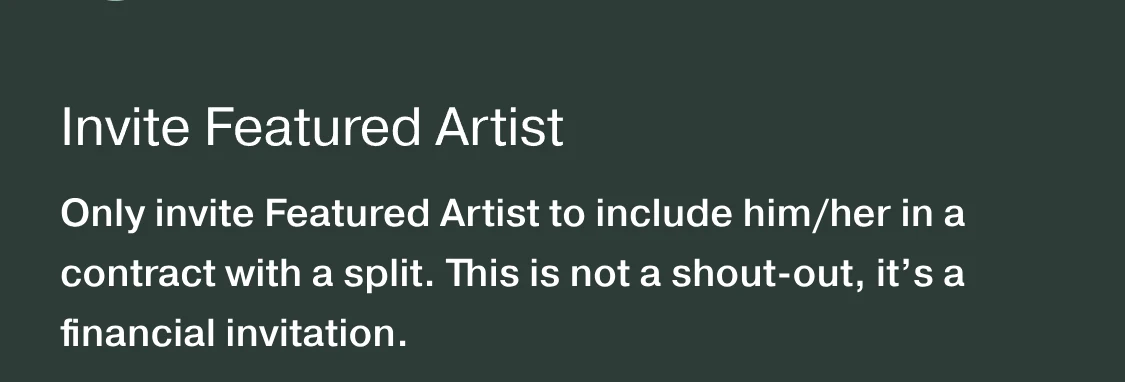
  • From the Add Track screen. Invite Featured Artist: Only invite Featured Artist to include him/her in a contract with a split. This is not a shout-out, it’s a financial invitation.
    This is not a shout-out, it’s a financial invitation.
    Inviting a featured artist
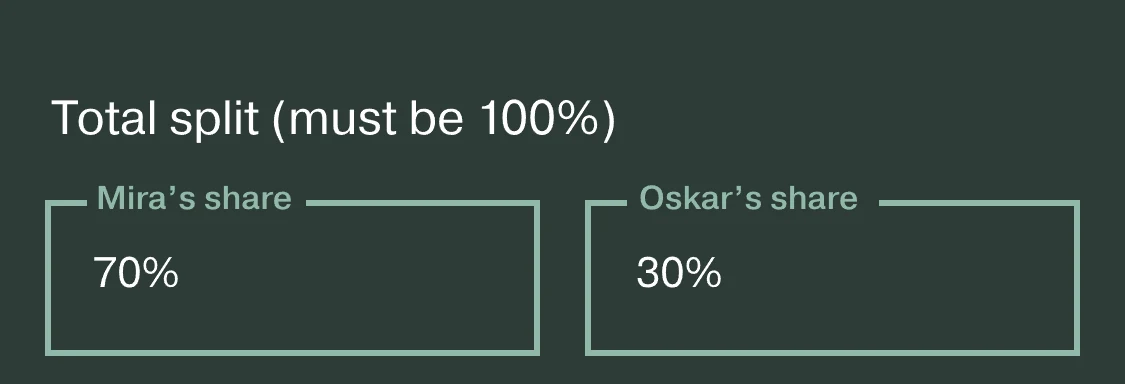
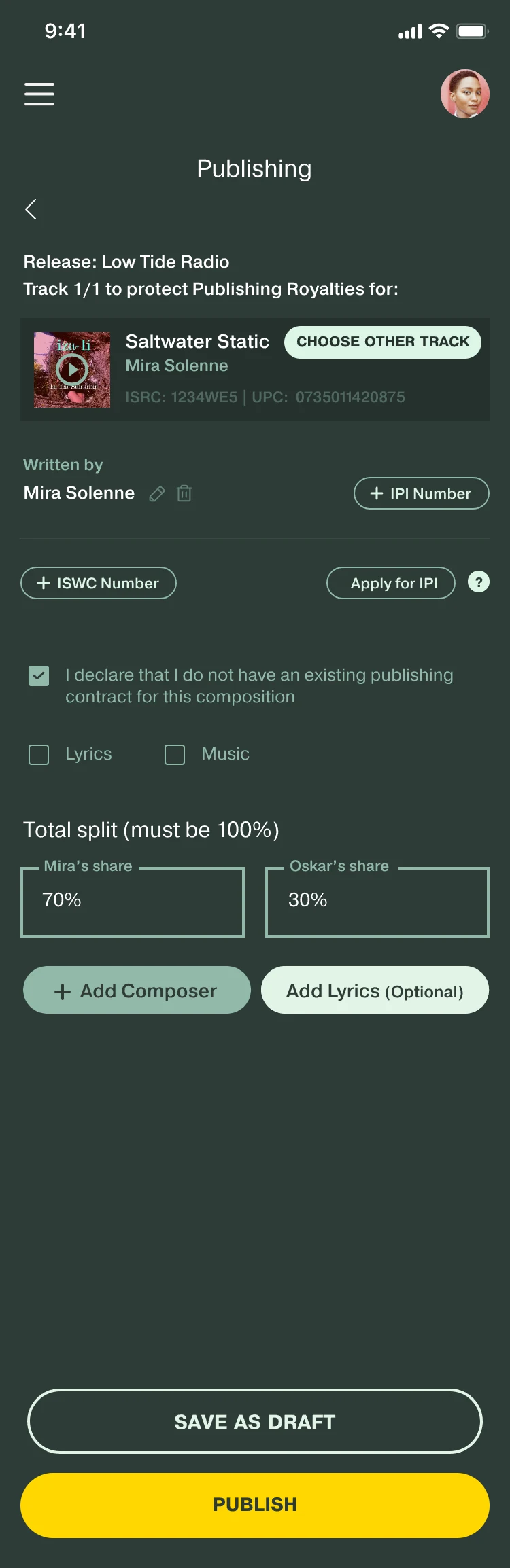
  • From the Publishing screen. Total split (must be 100%), with Mira’s share at 70% and Oskar’s share at 30%.
    Total split (must be 100%)
    Splitting publishing royalties
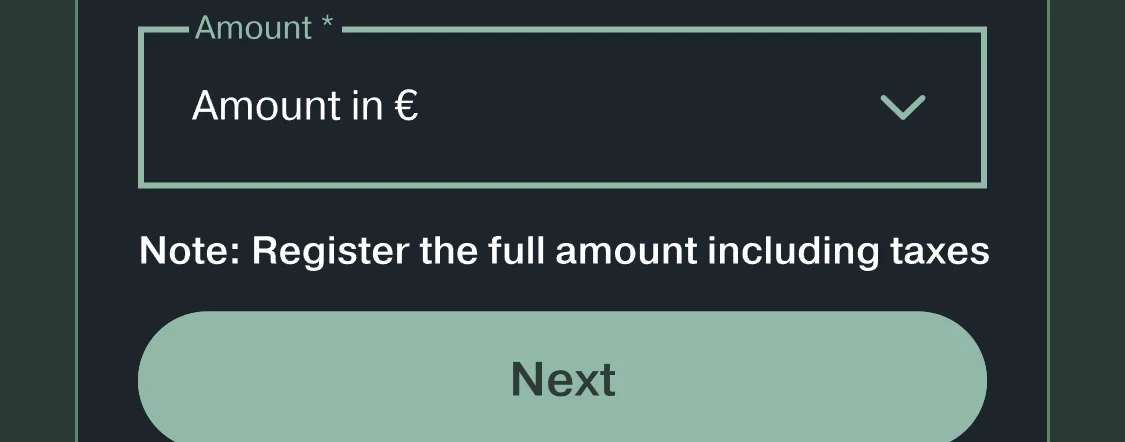
  • From the Add Expense screen. An Amount field, then Note: Register the full amount including taxes, and a Next button.
    Note: Register the full amount including taxes
    Adding an expense
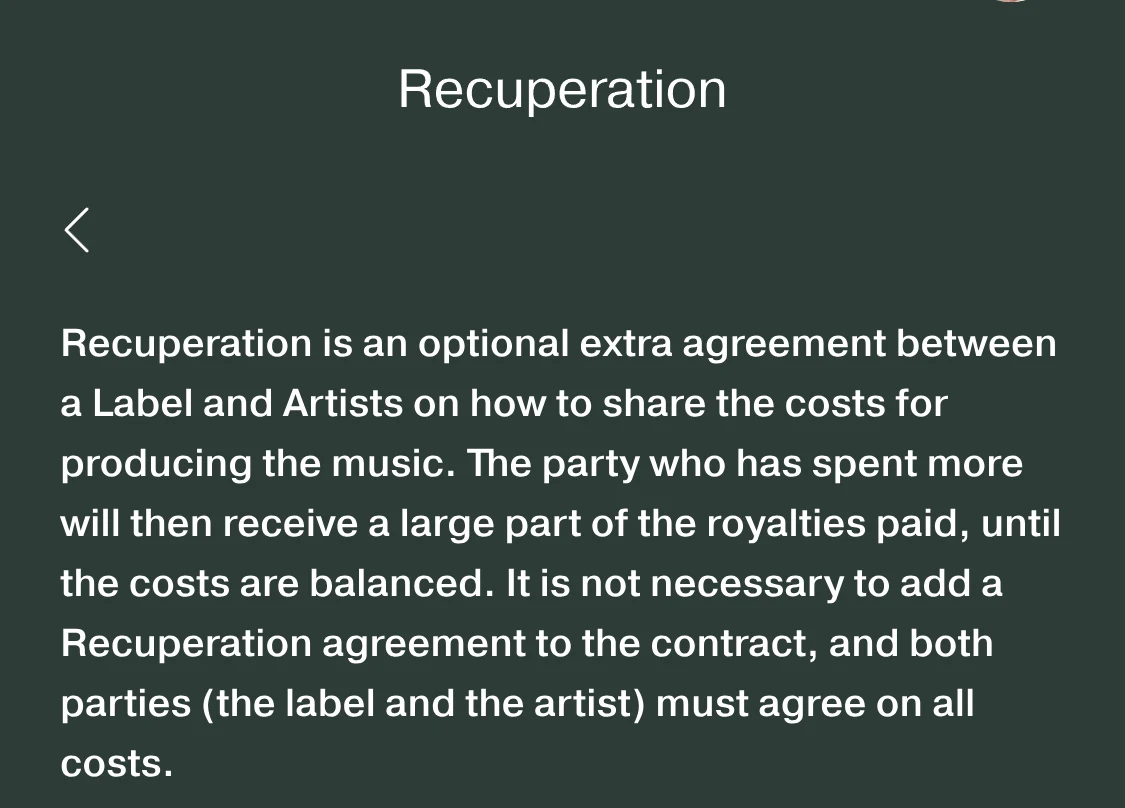
  • From the Recuperation screen: the paragraph that explains recuperation.
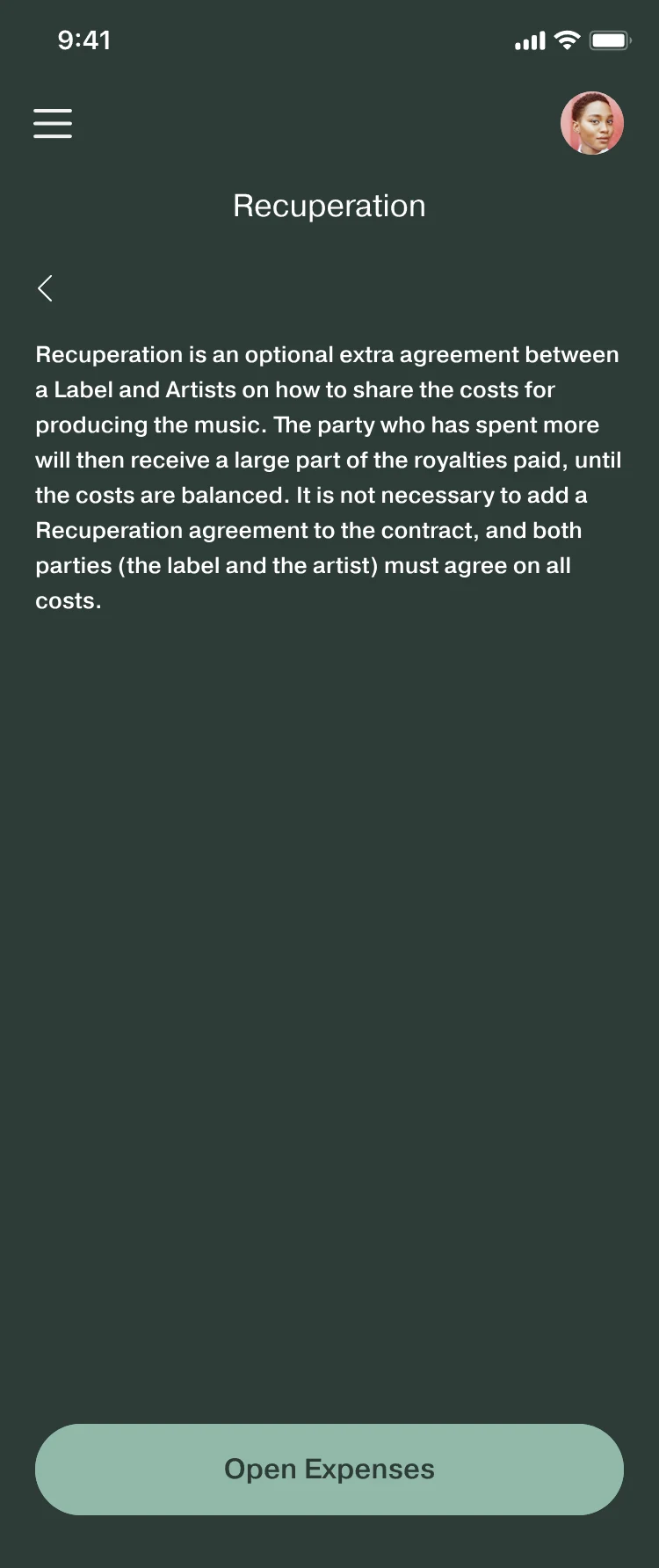
    Recuperation is an optional extra agreement between a Label and Artists on how to share the costs for producing the music.
    Before the expense form
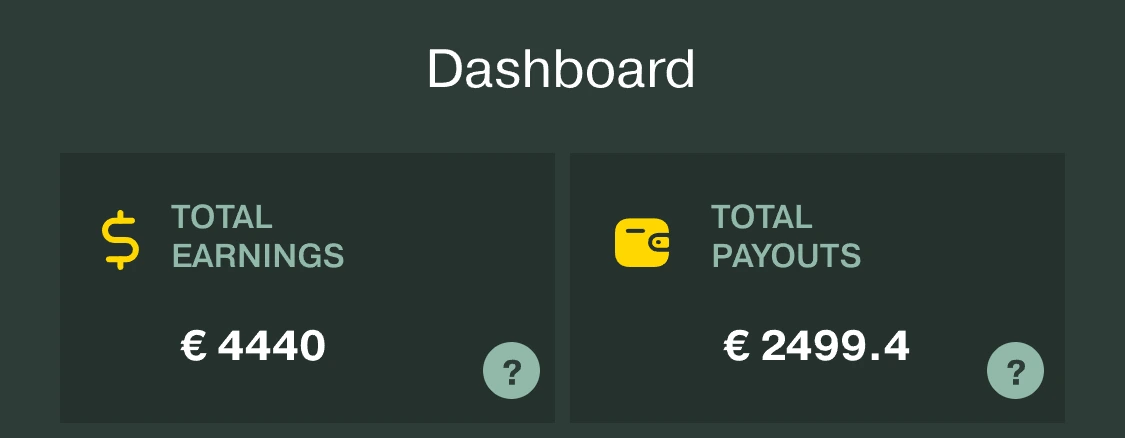
  • From the Dashboard: Total earnings and Payouts, each with a question-mark help icon.

    A “?” beside each figure

    Help icons on the dashboard

Cropped from the final screens. The wording is quoted exactly.

05 · Every screen

A way back from every screen.

Problem
People got stuck on a screen with no way back. Screens were overcrowded.
Decision
Every part of the app went into one main navigation menu, and every screen got a back button.
Why
A release moves through many screens, so people need a known way out of each one.
“Sometime I stuck navigation around the screens, unable to go back or explore any feature.” Survey response
Trade-off
Sections moved behind one menu, so reaching them takes an extra tap instead of being on screen.
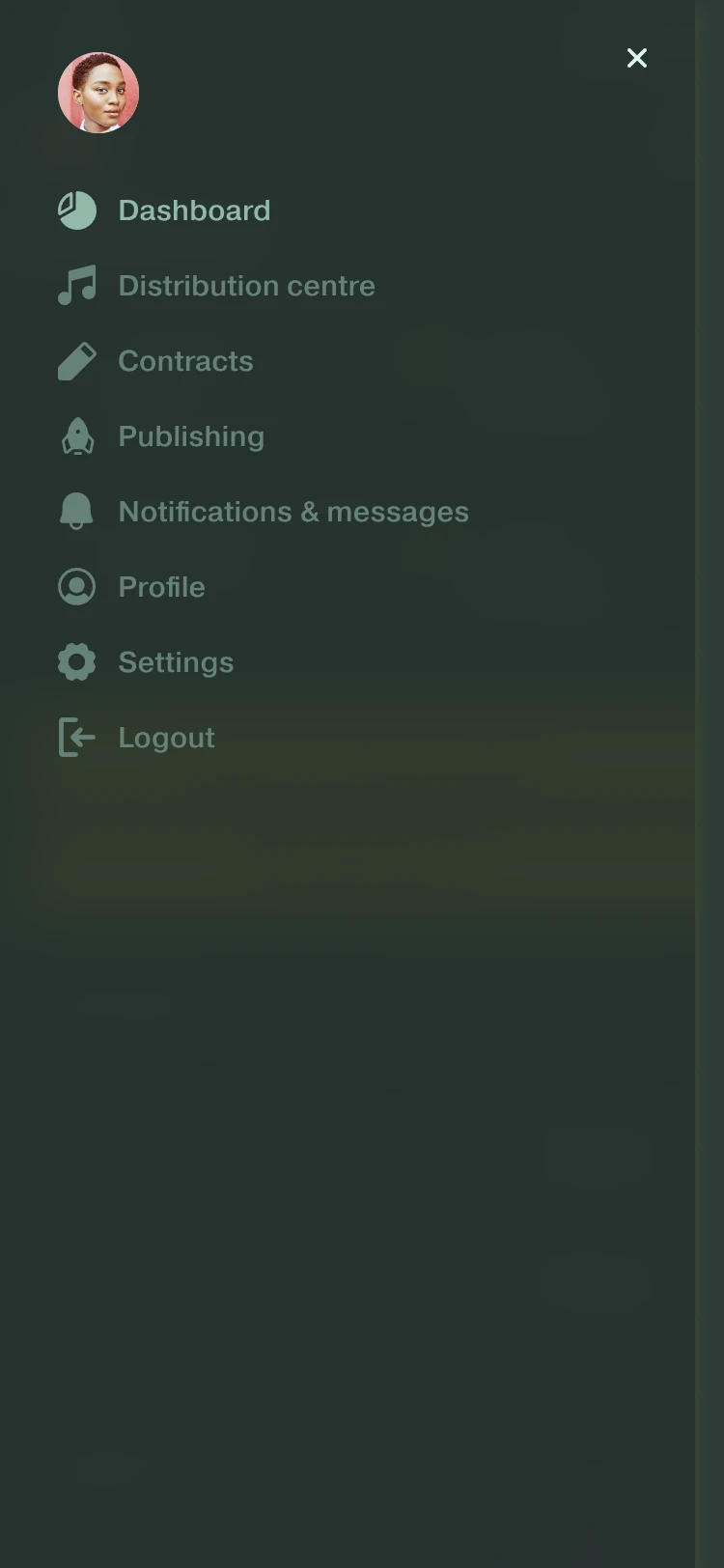
The menu: Dashboard, Distribution centre, Contracts, Publishing, Notifications & messages, Profile, Settings, Logout.
MenuEvery part of the app in one place.
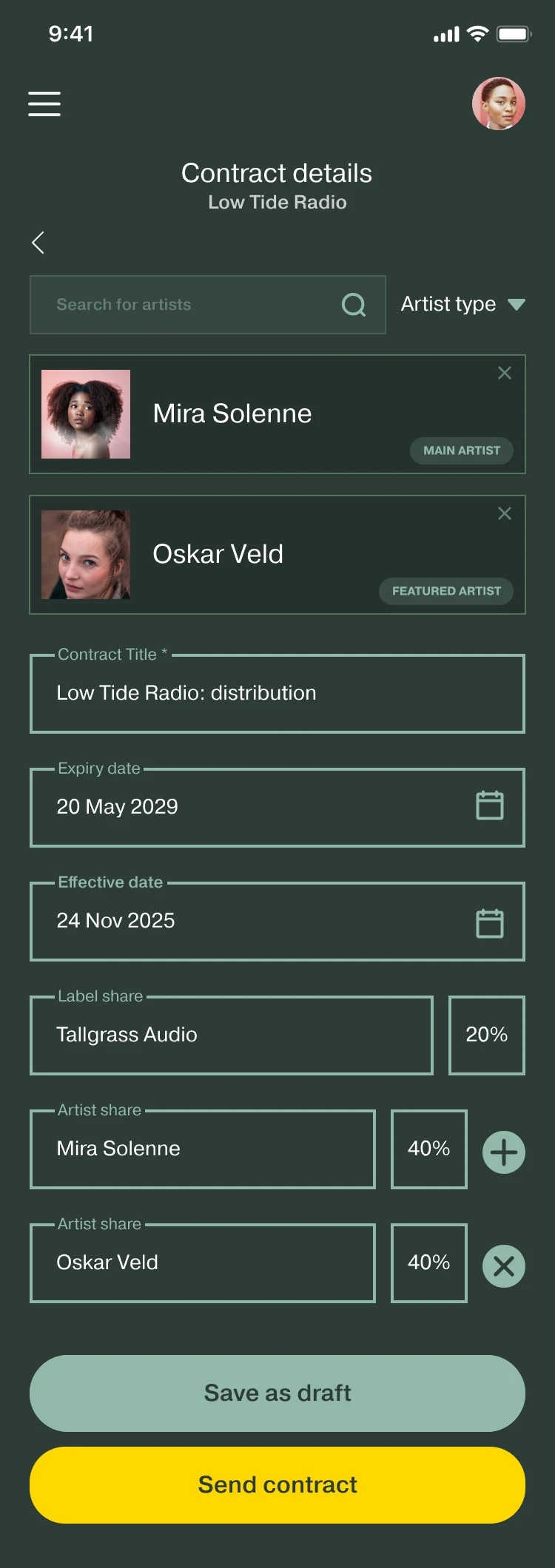
Contract details for Low Tide Radio: Mira Solenne as main artist and Oskar Veld as featured artist, contract title, expiry and effective dates, a label share of 20% and two artist shares of 40%, Save as draft and Send contract.
Contract detailsA back button under the title.

06 · Solution

The five steps, in the shipped screens.

A

Add music

Release type first, then every track named as it uploads.

Several sound files share one screen, and a sheet names each one without leaving the list. The album overview then shows each track’s contract status.

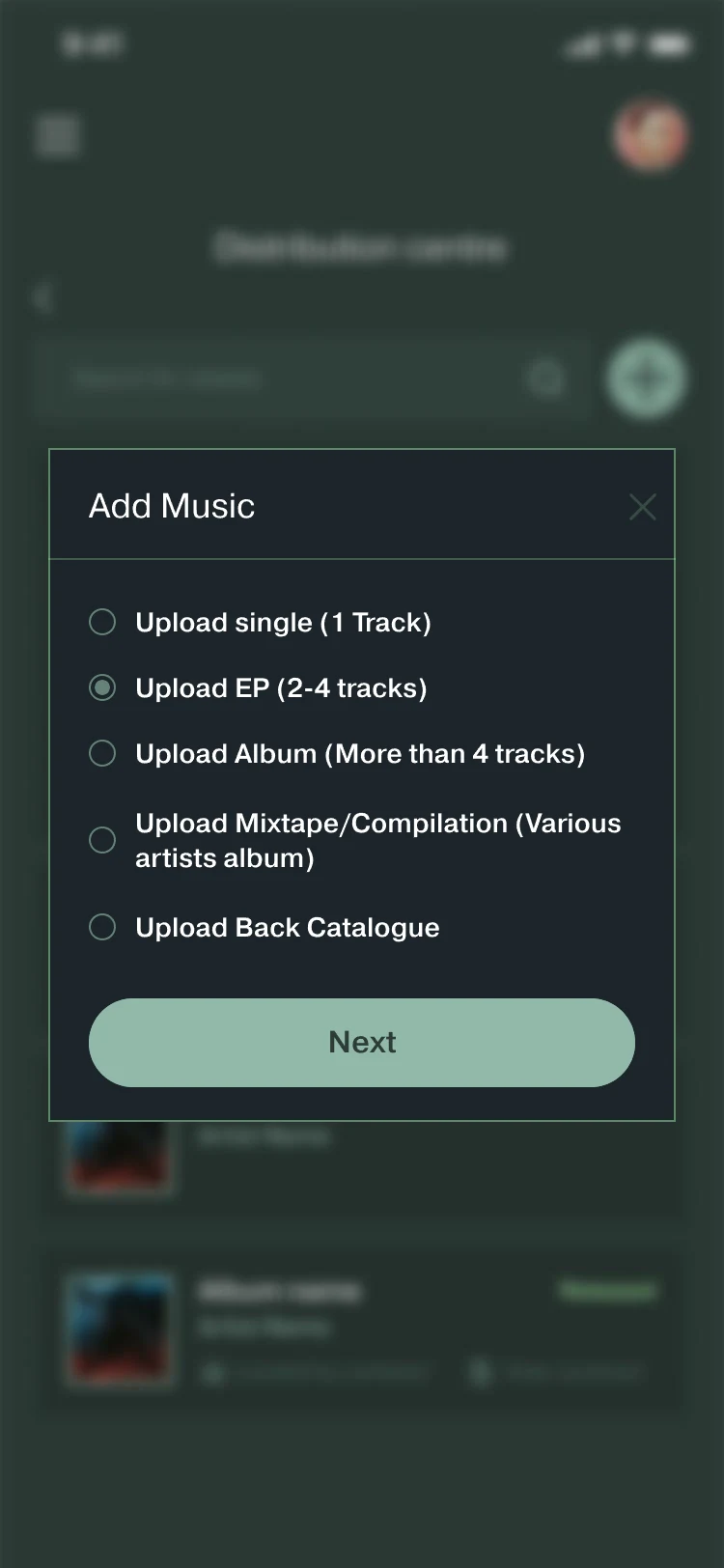
Add Music, with Upload EP (2-4 tracks) selected: Upload single (1 Track), Upload EP (2-4 tracks), Upload Album (More than 4 tracks), Upload Mixtape/Compilation (Various artists album), Upload Back Catalogue, and a Next button.
Add MusicThe release type comes first.
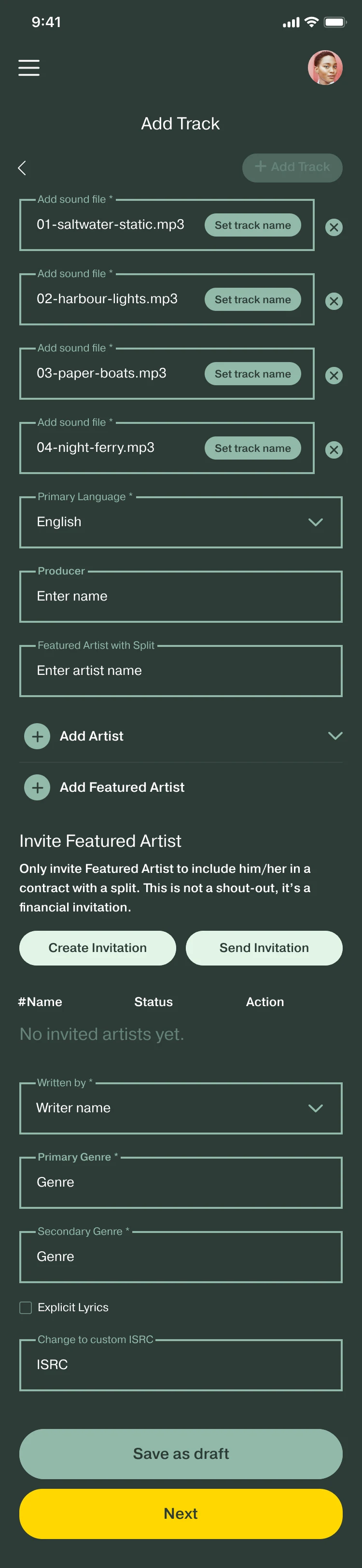
Add Track, bulk upload: four named sound files, each with a Set track name button, then shared fields such as Primary Language, Producer and Featured Artist with Split.
Bulk uploadTop of the screen shown.
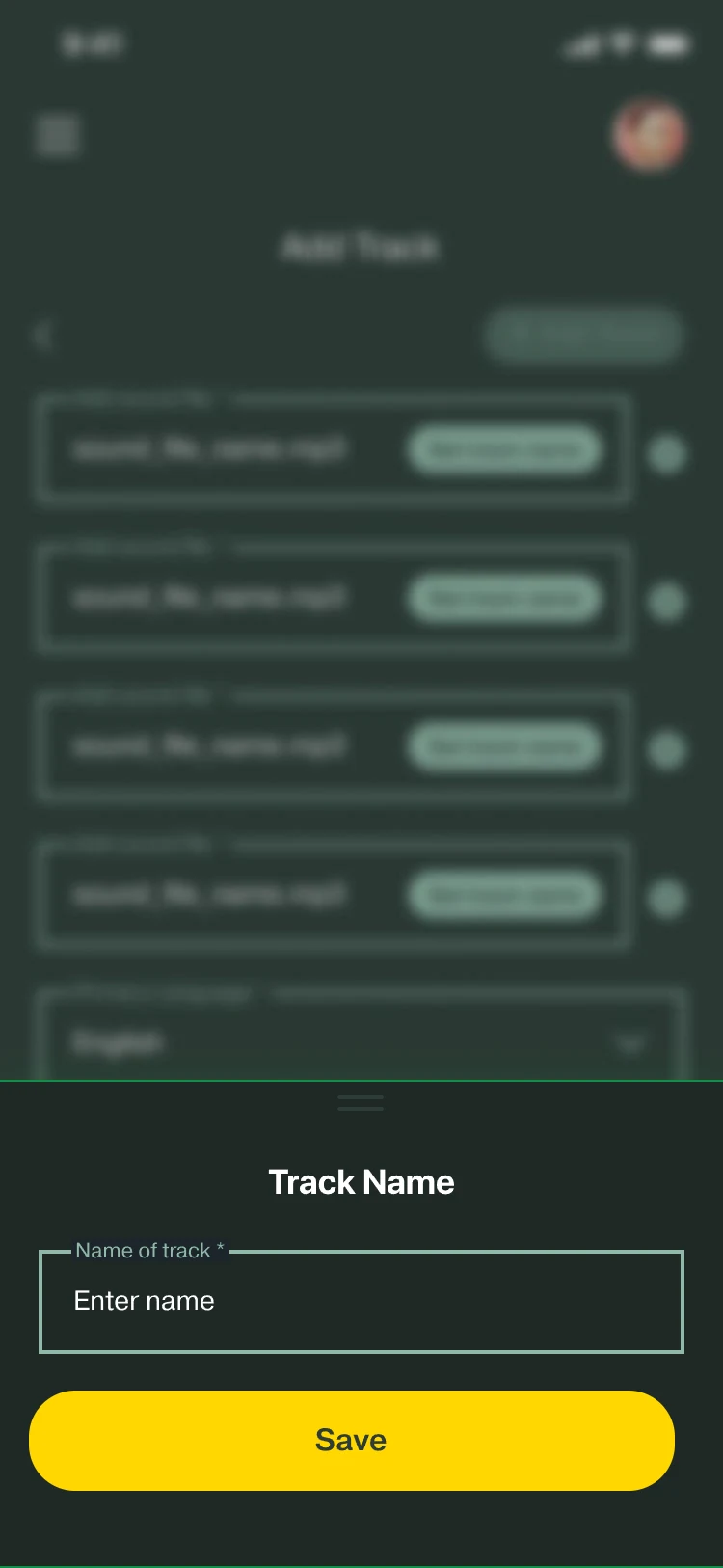
Track Name sheet over the bulk upload: a Name of track field and a Save button.
Set track nameNamed in place.
Album overview for Low Tide Radio: the album, then four tracks, each with its ISRC and ISWC codes, its artists and a contract status: Unsigned, Signed, Pending, Rejected. Save as draft and Next buttons.
Album overviewA contract status on every track.
B

Contracts and splits

Each share sits beside its name.

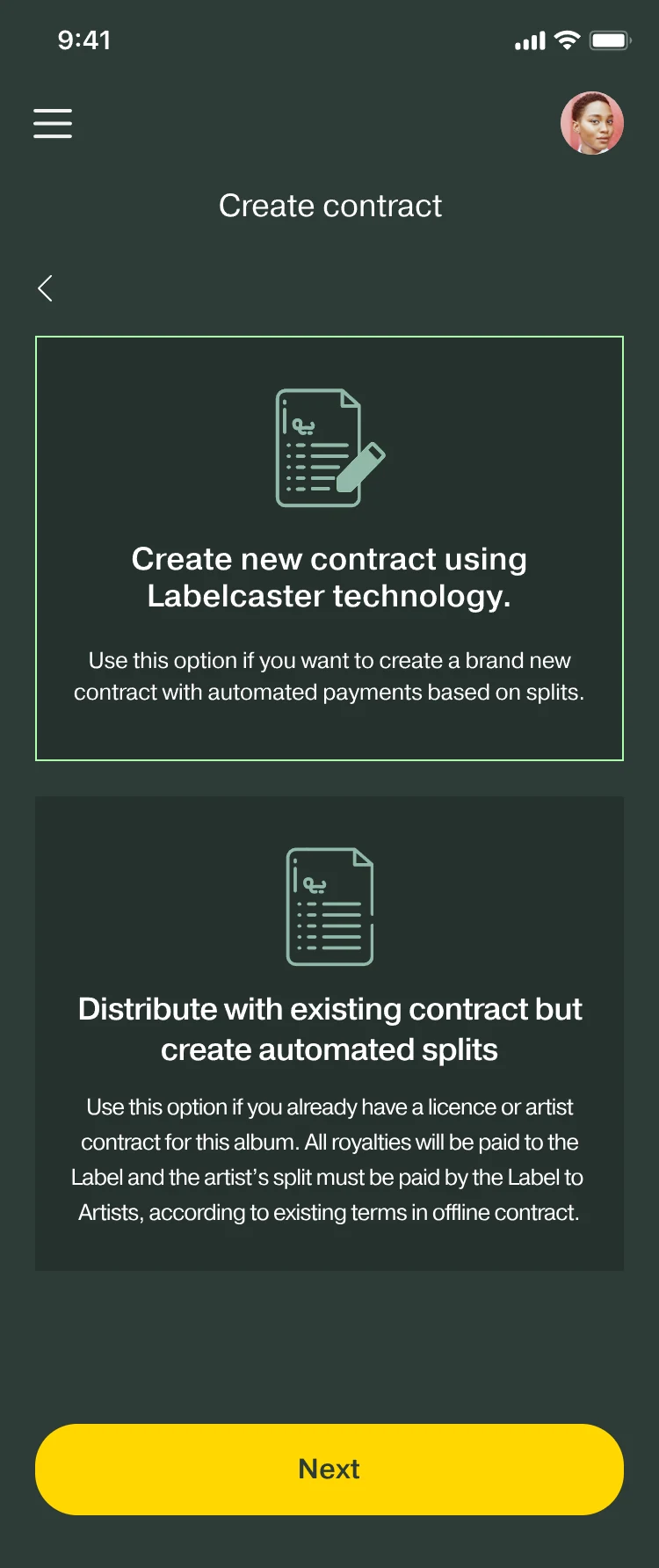
The two contract types are explained side by side. Recuperation is explained before the expense form, and “Send Artist for Approval” is the last step.

Create contract: two options side by side, Create new contract using Labelcaster technology, and Distribute with existing contract but create automated splits.
Contract type
Contract details for Low Tide Radio: Mira Solenne as main artist and Oskar Veld as featured artist, contract title, expiry and effective dates, a label share of 20% and two artist shares of 40%, Save as draft and Send contract.
Contract detailsShares beside names.
Recuperation: a paragraph explaining that recuperation is an optional extra agreement on how to share the costs of producing the music, with an Open Expenses button.
RecuperationExplained first.
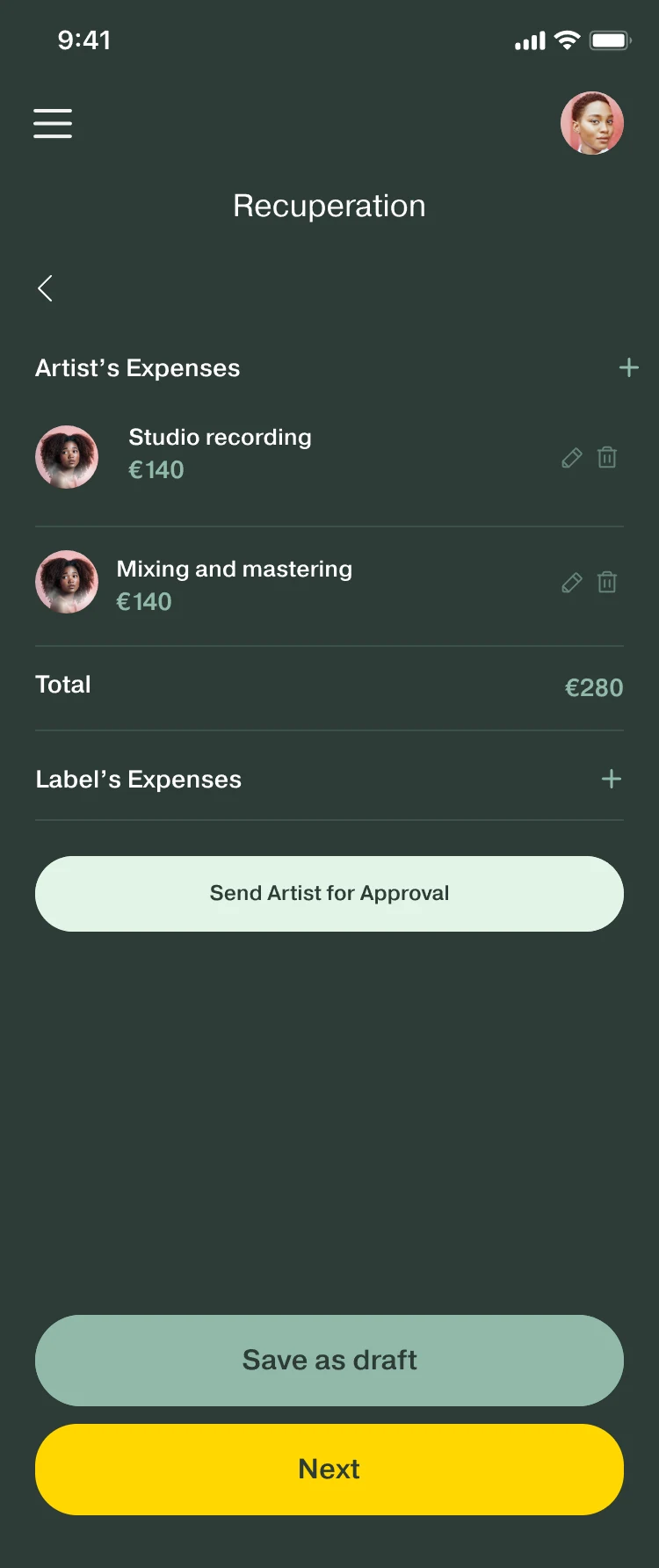
Recuperation: Artist’s Expenses with Studio recording and Mixing and mastering at €140 each, a total of €280, Label’s Expenses, and a Send Artist for Approval button.
ExpensesThen sent for approval.
C

Sign

Read, sign, signed. Inside the app.

Each step from wireframe to final. The contracts list then shows Signed, Pending or Rejected on every contract.

Step 1Read, then sign or reject

Wireframe, Sign contract: the contract text with Reject and Sign buttons.
Wireframe
Sign contract: the distribution agreement for Low Tide Radio, with Reject and Sign buttons.
Final

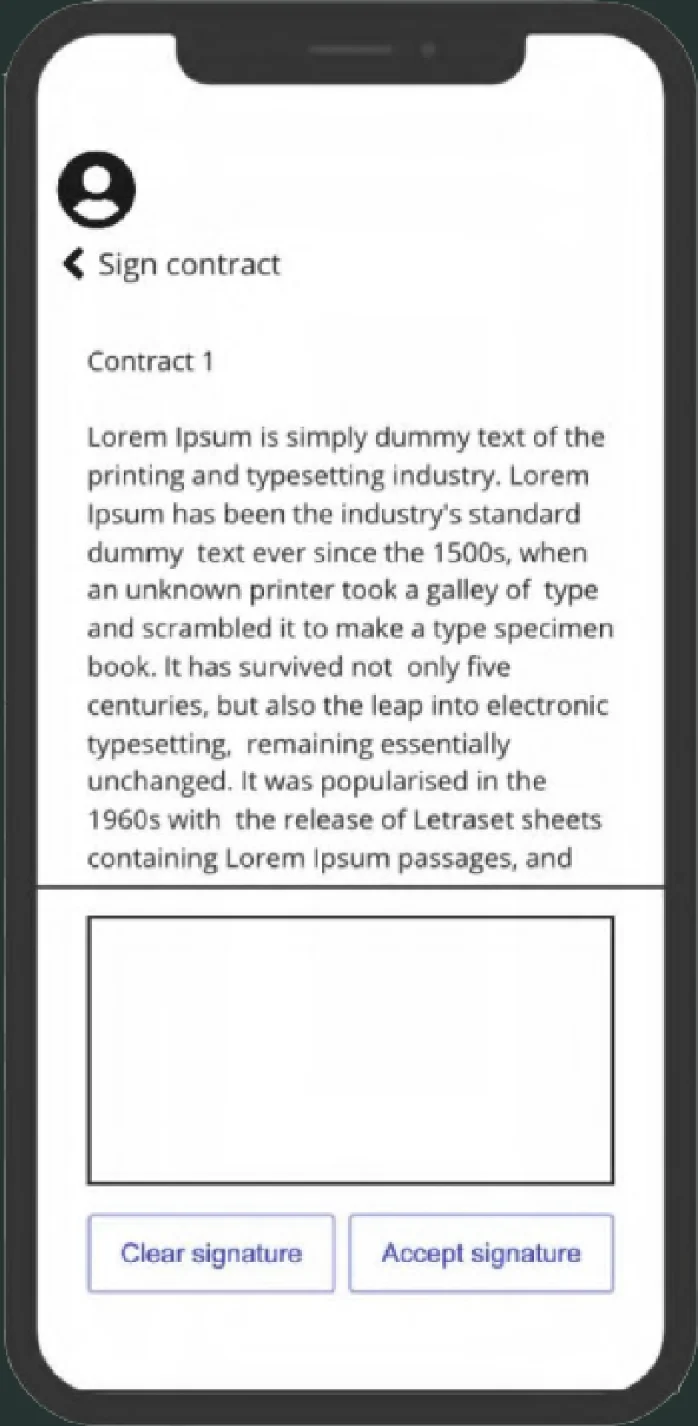
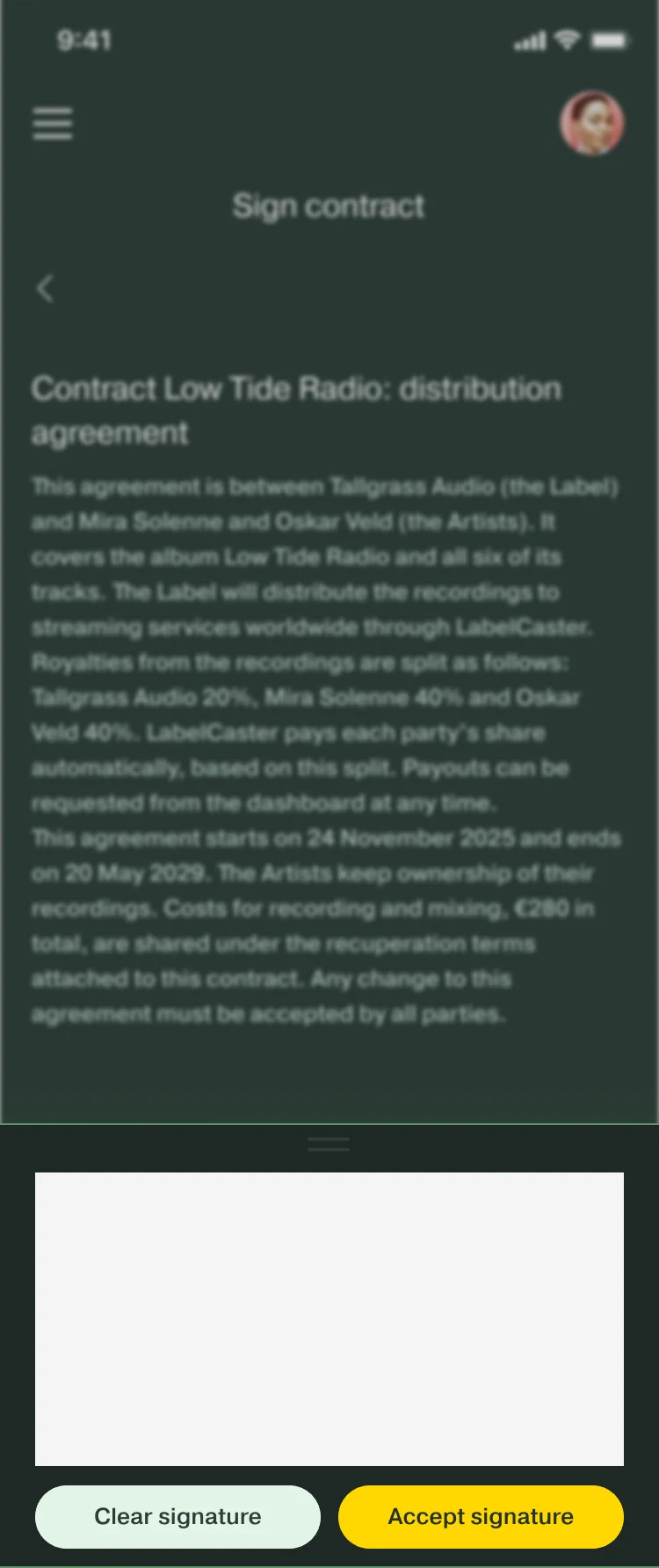
Step 2Draw the signature

Wireframe, Sign contract: the contract text above an empty signature box, with Clear signature and Accept signature buttons.
Wireframe
Sign contract: a signature pad over the contract, with Clear signature and Accept signature buttons.
Final

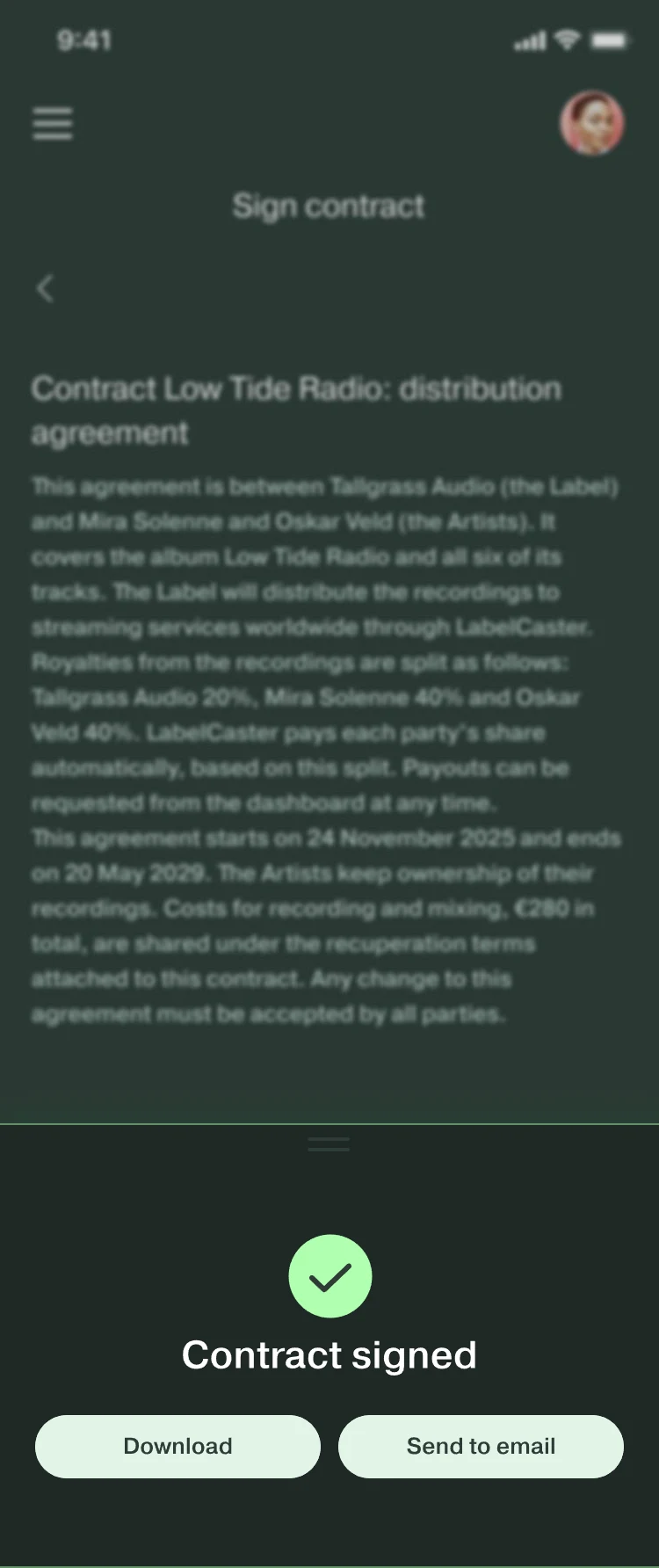
Step 3Signed

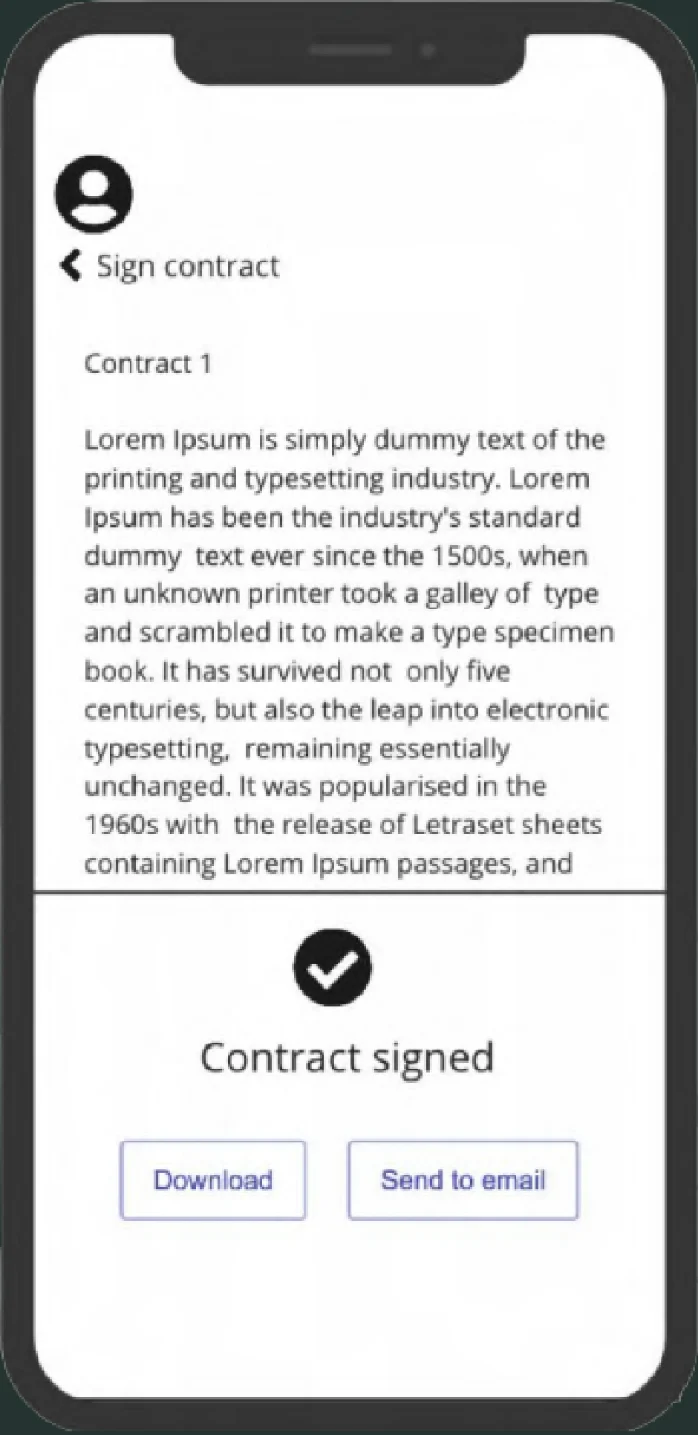
Wireframe, Sign contract: a check mark, Contract signed, and Download and Send to email buttons.
Wireframe
Sign contract: a check mark, Contract signed, and Download and Send to email buttons.
Final
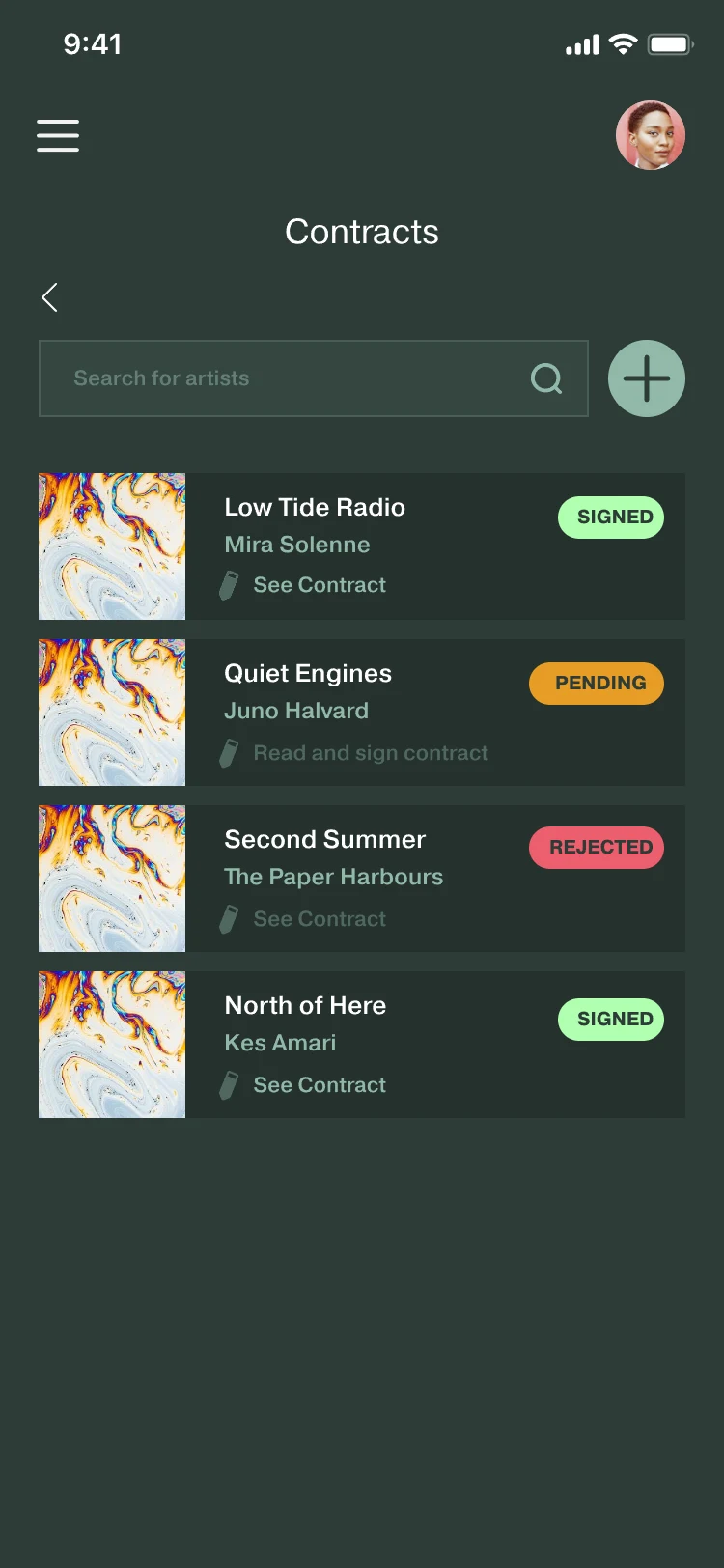
Contracts list: Low Tide Radio (Signed), Quiet Engines (Pending), Second Summer (Rejected) and North of Here (Signed).
Contracts listA status on every contract.
D

Publishing information

Complete the composition details and publishing splits required for the release.

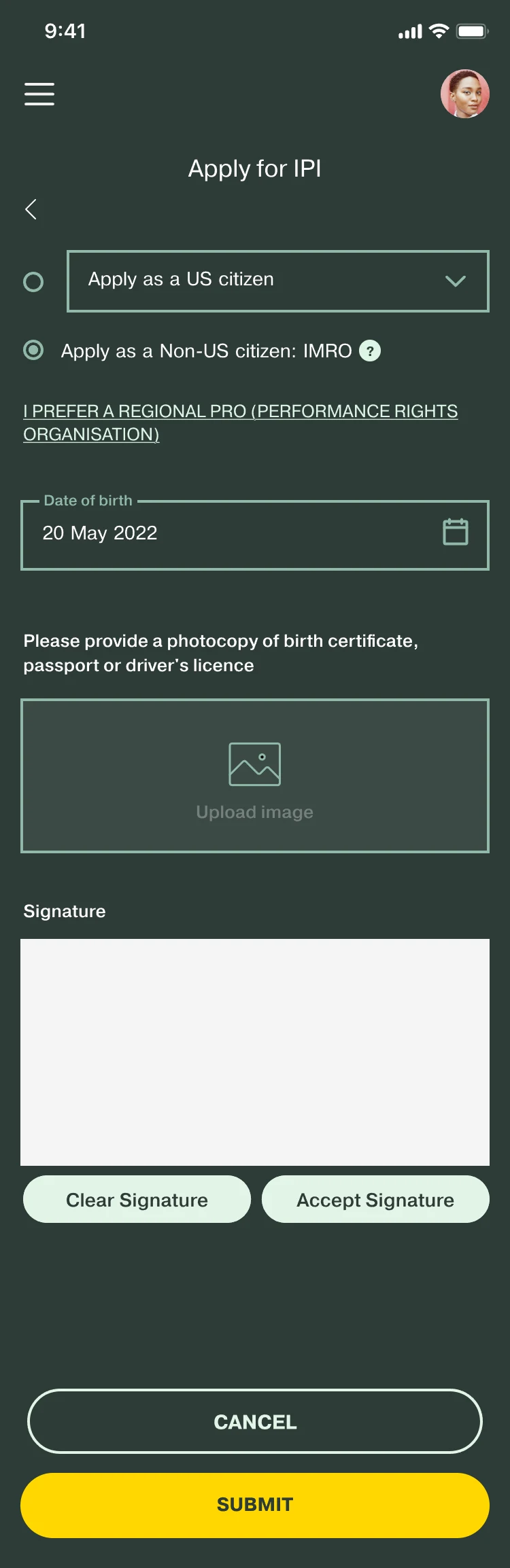
An IPI number can be applied for inside the app.

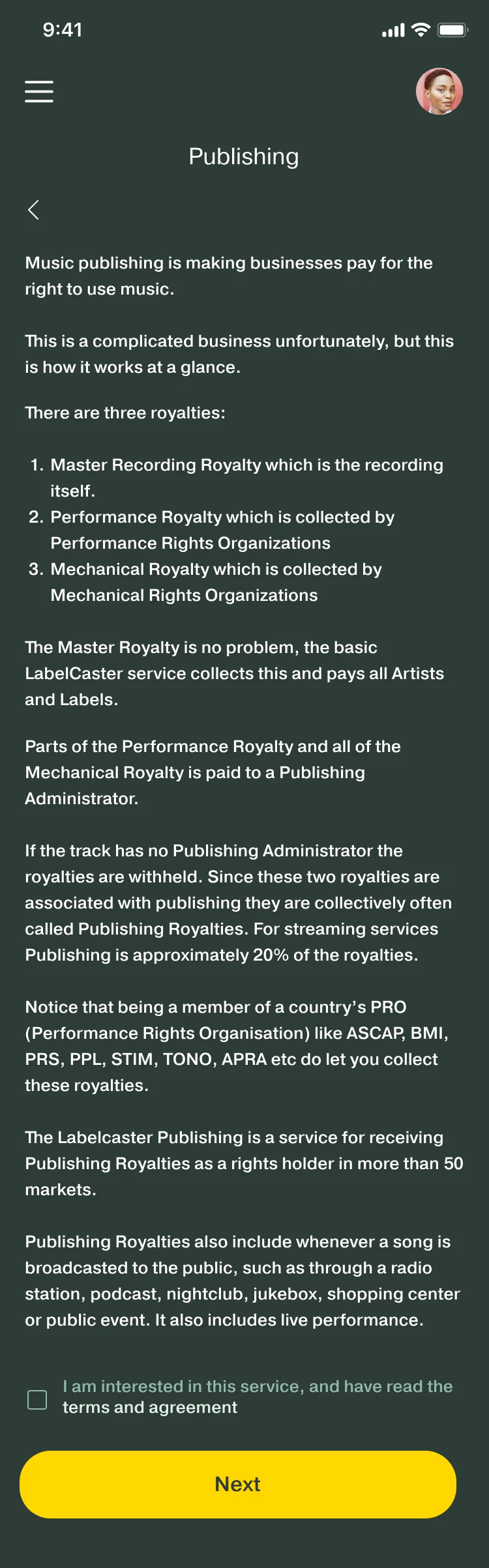
Publishing: an explanation of music publishing and its three royalties, Master Recording, Performance and Mechanical, with a Next button.
Royalty info
Publishing information for the track Saltwater Static: written by Mira Solenne, IPI Number and ISWC Number buttons, Apply for IPI, and Total split (must be 100%) with shares of 70% and 30%.
Publish infoWriters and their split.
Apply for IPI: apply as a US or non-US citizen, date of birth, an identity document upload, a signature pad, and Cancel and Submit buttons.
Apply for IPI
E

Earn and cash out

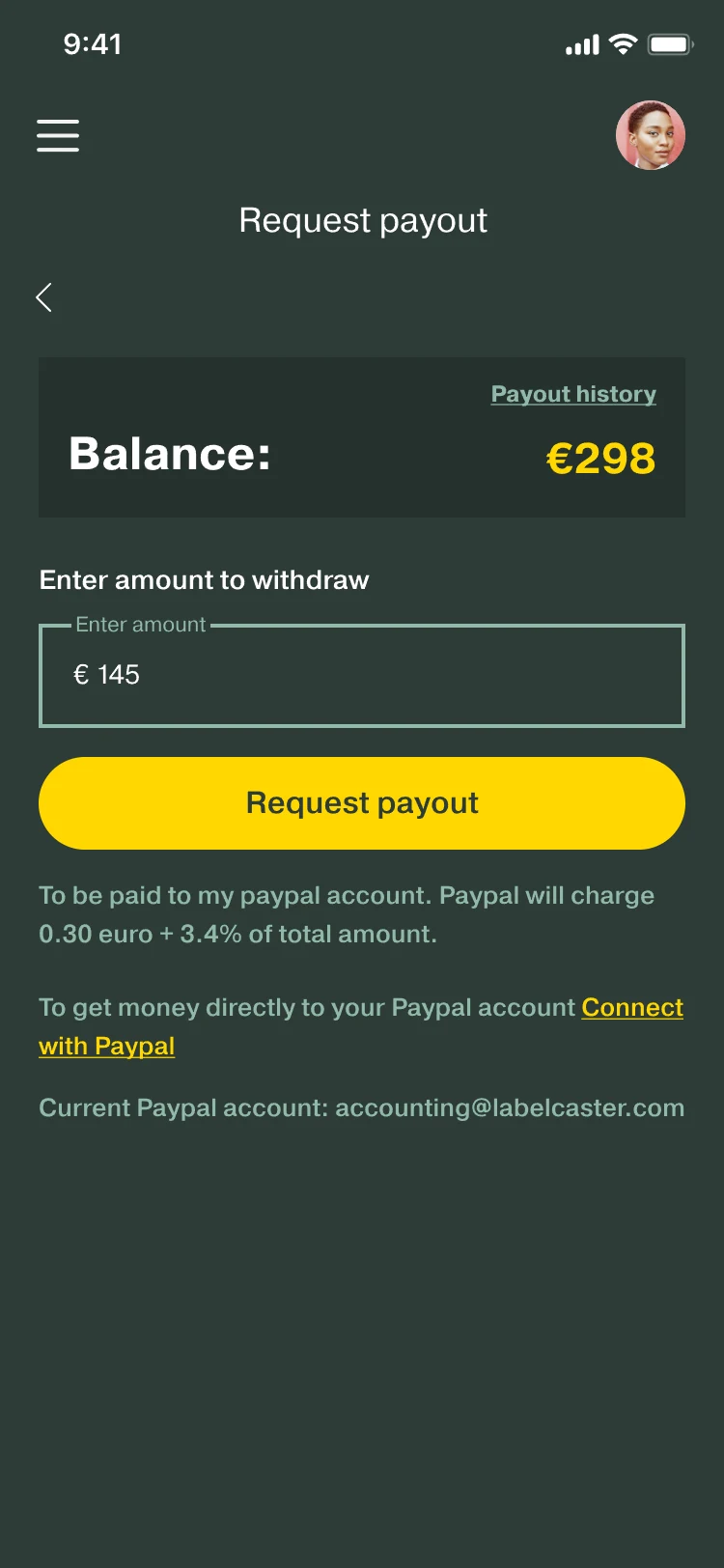
The fee is shown before the payout is requested.

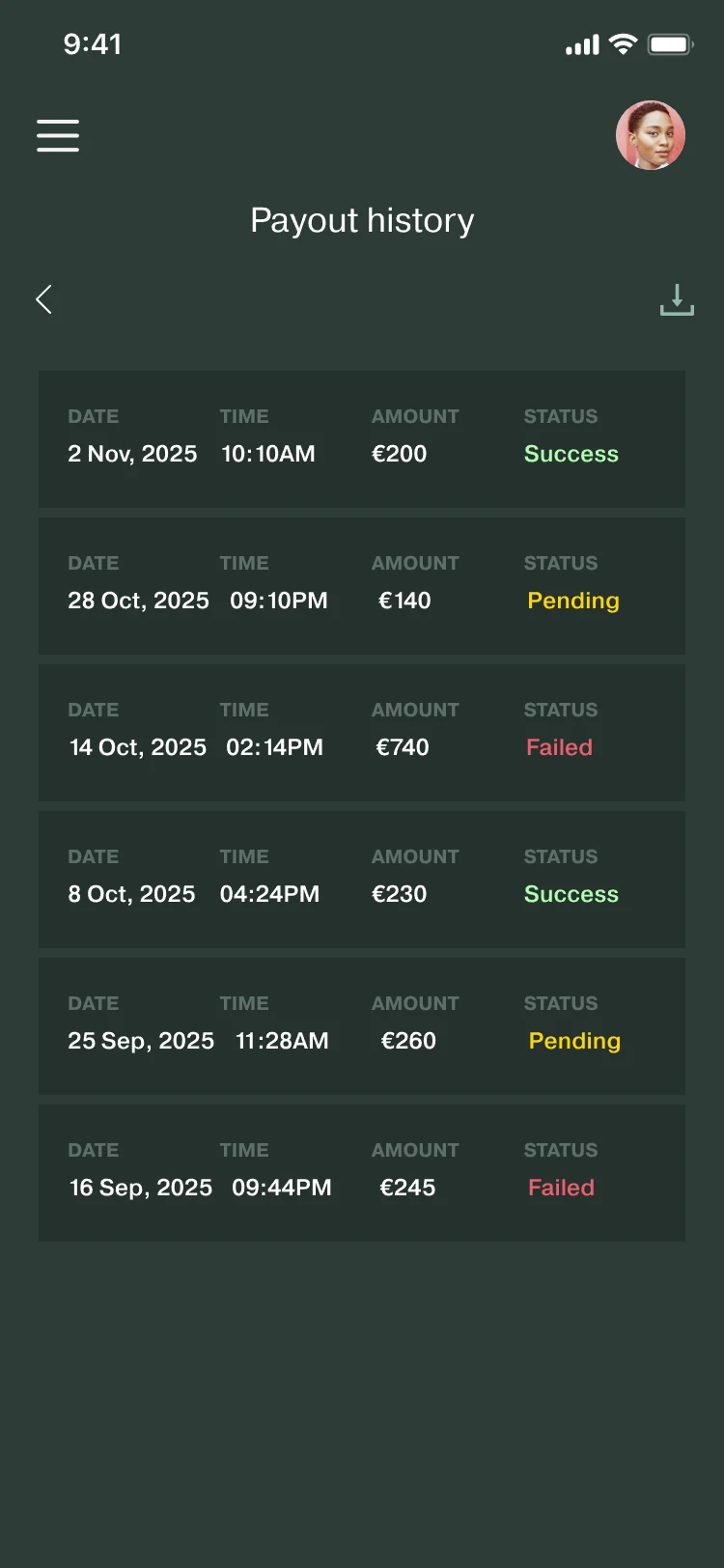
A “?” explains every dashboard figure. Payout history can be downloaded as a PDF, or to Google Drive or Dropbox.

Dashboard: total earnings, payouts, turn-over and cash balance, each with a question-mark help icon, a Request payout button, a Revenue Report button and Top Tracks.
DashboardTop of the screen shown.
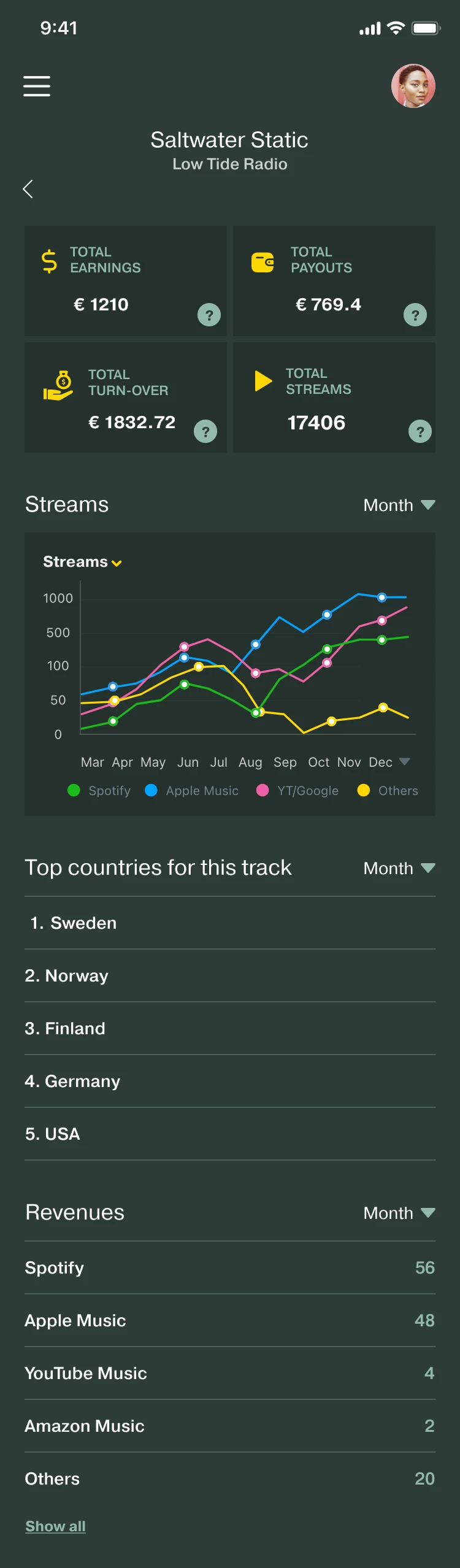
Saltwater Static, from Low Tide Radio: the same four figures for this track, then a streams chart by service and top countries.
TrackStreams by service. Top of the screen shown.
Request payout: a balance of €298, an amount of € 145, a Request payout button, and the line PayPal will charge 0.30 euro + 3.4% of total amount.
Request payoutThe fee sits under the button.

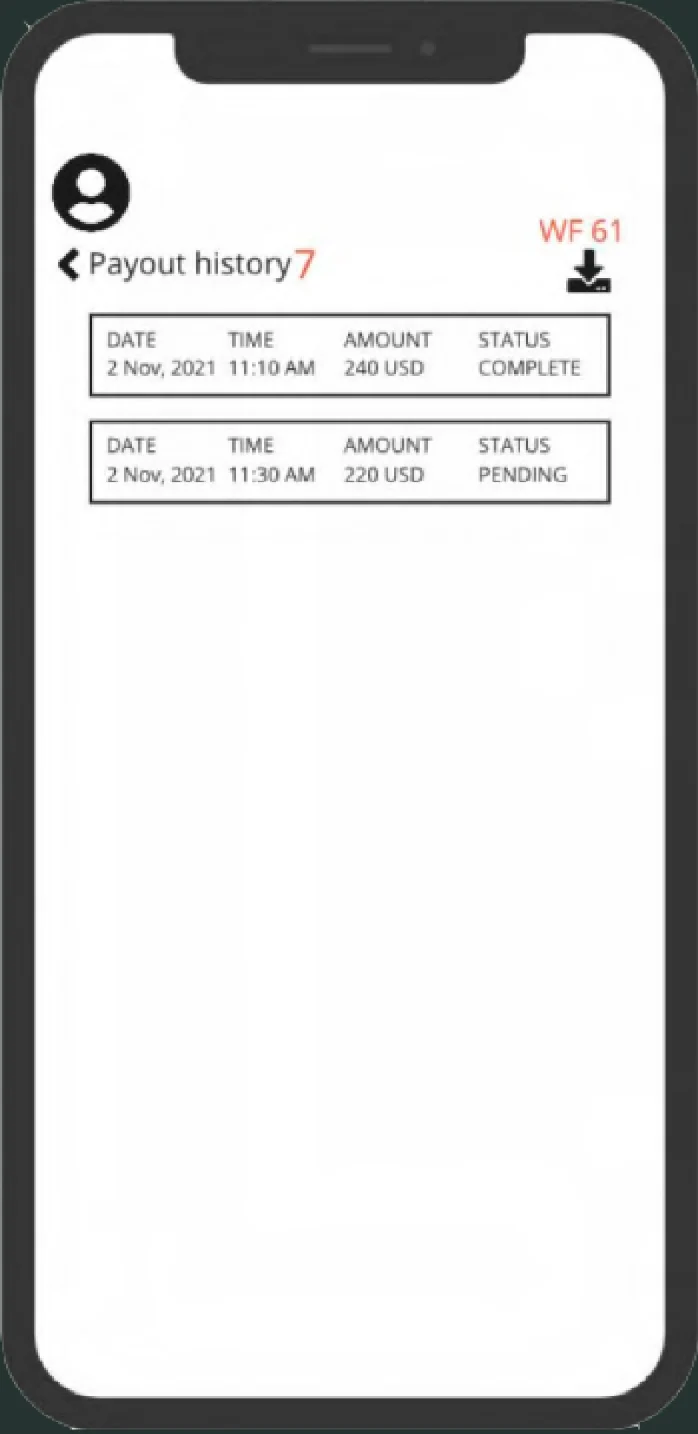
Payout historyEvery payout, with its status

Wireframe, Payout history: two payouts with date, time, amount in USD and a status of Complete or Pending, and a download icon.
Wireframe
Payout history: six payouts with date, time, amount and a status of Success, Pending or Failed, and a download icon.
Final

07 · Design system

A new look, and one system for both sides.

The redesign introduced a reusable visual and interaction system across the product. I designed the rebrand’s typography and icons and built the design system in Figma: color styles, text styles and components. The product owner chose the colors.

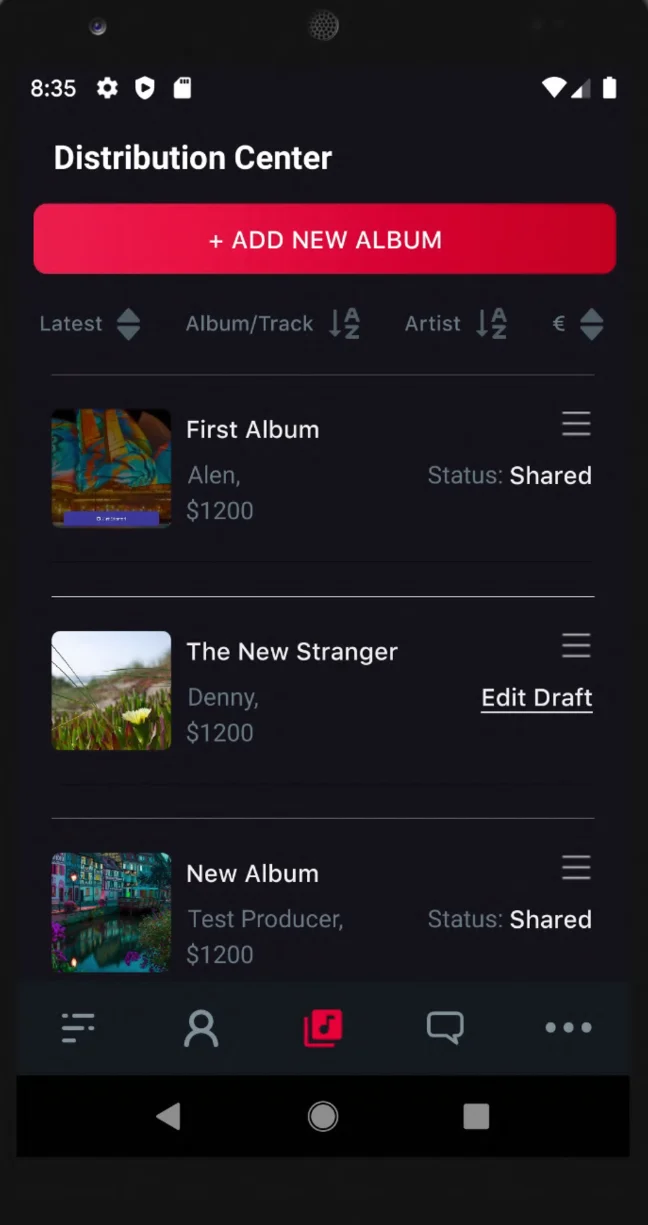
Old app Distribution Center: an Add new album button and a list of albums with a status, such as Shared or Edit Draft.
Old appDistribution Center
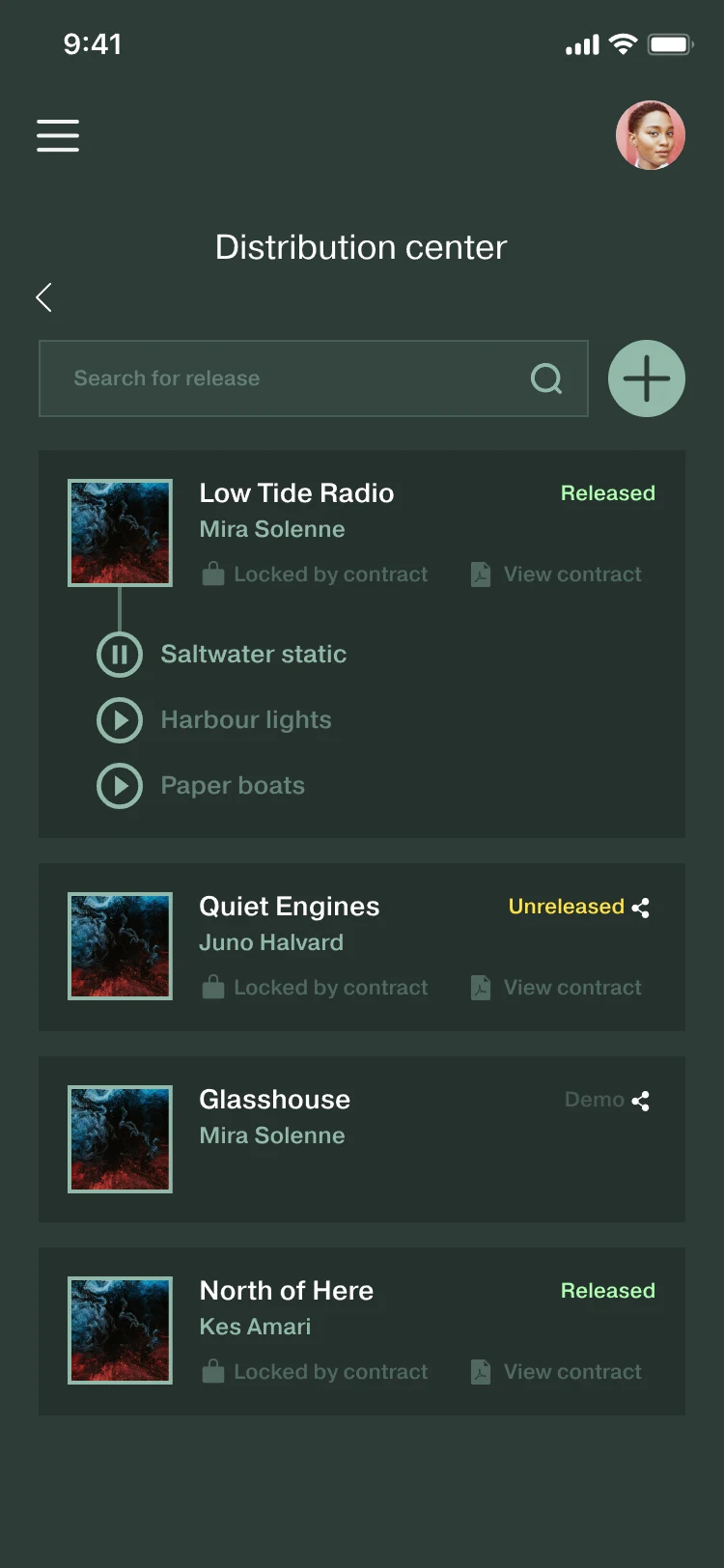
Distribution center: a search field and four releases; under Low Tide Radio, the tracks Saltwater static, Harbour lights and Paper boats. Small secondary text such as Locked by contract and View contract.
RedesignDistribution center

Old app

  • Black#14131A
  • Grey#4C5B63
  • Red#C60124

Redesign · 6 of 10 color styles

  • background#2D3C37Main background color
  • secondary#91B9AAUse this for secondary CTA, background and border stroke for input fields
  • gold#FFD700Use this color for CTA primary and to highlight elements
  • green#AFFFAFSuccess color
  • danger#ED5E6FAlert color
  • light-background#E1F4E7The artist side’s background

Old colors sampled from screenshots of the old app. New colors are the Figma color styles, named by token.

Type · 4 of 11 text styles, all in Pragmatica

  • AgHeading largePragmatica · 700 · 28/16
  • AgHeading 2Pragmatica · 500 · 22/16
  • AgBodyPragmatica · 500 · 13/20
  • AgStatPragmatica · 700 · 14/Auto

“Ag” set in this site’s font at twice each style’s size.

Representative components, exported from Figma

Primary button
Primary button component
Release status
Release status component
Album card
Album card component
Player bar
Player bar component
Add Music dialog
Add Music dialog component

Song list: names before progress

A progress bar beside every song left too little room for long song names. Instead of cropping the names, the bar was removed and playback progress moved to the player bar.

First version
First version component
Shipped
Shipped component

Input fields

Input with icon
Input with icon component
Input with share
Input with share component
Search bar
Search bar component

08 · Outcome

Shipped, now in testing.

The redesign shipped to the App Store and Google Play. It is now in A/B testing with selected users, so it isn’t publicly listed.

The redesign brought the core release workflow into one product experience: adding music, agreeing splits, signing, publishing information and getting paid. It also set up one visual and interaction system for both sides of the label–artist relationship.

What shipped

  • Signing inside the app
  • A way back from every screen
  • Tracks named during upload
  • Shares beside names, recuperation explained first
  • The payout fee before the request
  • A new look and a design system, with a light theme for artists

09 · Measures

How I’d measure it.

  1. Does naming tracks during bulk upload make adding an album faster?
  2. Do people understand recuperation before they add expenses?
  3. Does showing the payout fee first reduce surprise at cash-out?
  4. How often do splits fail to add up to 100% on the first try?

Next iteration: accessibility

Raising secondary text to 4.5:1.

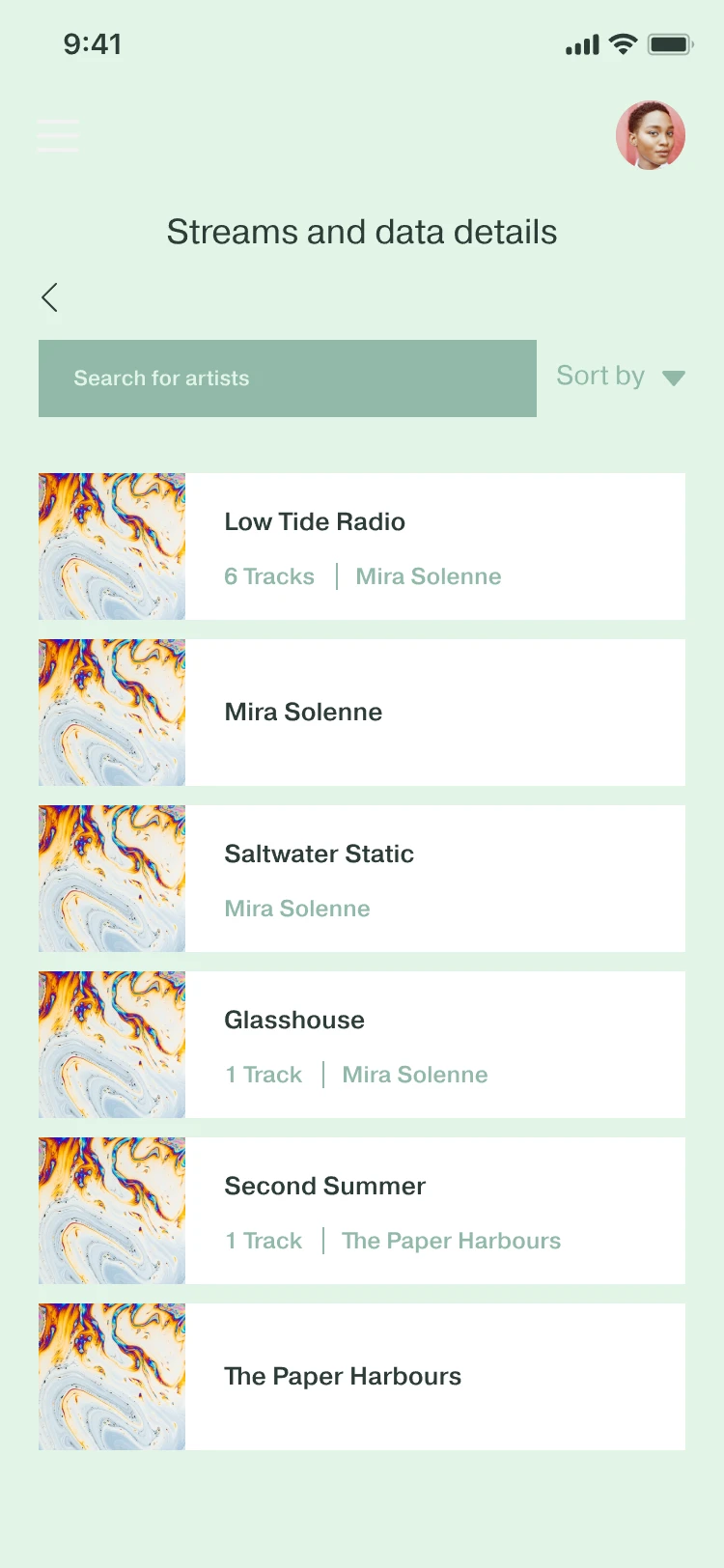
My audit of the shipped screens found secondary text too faint on both themes, and worst on the artist side: sage-green secondary text on white and pale green, at about 1.9:1. On the label side, the dim-dark token reaches 2.8:1. The next iteration raises every pair to 4.5:1 with a token change.

1 “6 Tracks | Mira Solenne”, #91B9AA on white
2.2:1
2 “Sort by”, #91B9AA on #E1F4E7
1.9:1

Artist side: measured on the exported Streams and data screen.

Label side: calculated from the two Figma color styles. All ratios use the WCAG formula.

Proposed tokens:

secondary #91B9AA on white
Proposed token #4B7565 → 5.2:1
secondary #91B9AA on #E1F4E7
Proposed token #4B7565 → 4.5:1
dim-dark #648277 on #2D3C37
Proposed token #8DA89E → 4.5:1

Same hue and saturation, only the lightness changes. Ratios use the WCAG formula; one secondary value passes on both artist-side backgrounds.

Artist side, Streams and data details on a pale green background: a search field, Sort by, and white rows such as Low Tide Radio, 6 Tracks, Mira Solenne, with the secondary text in sage green.
Artist sideStreams and dataSecondary text in sage green.
Distribution center: a search field and four releases; under Low Tide Radio, the tracks Saltwater static, Harbour lights and Paper boats. Small secondary text such as Locked by contract and View contract.
Label sideDistribution centerSecondary text such as “Locked by contract”.